INSTRUCTIONS:
After fully charging your 3 FLY-X3 batteries (approx (2) hours on charger or until light turn blue.) Place batteries in the handle of the FLY-X3 as you
would a flashlight. Be certain to place the batteries positive end first into the handle and fully tighten the end.
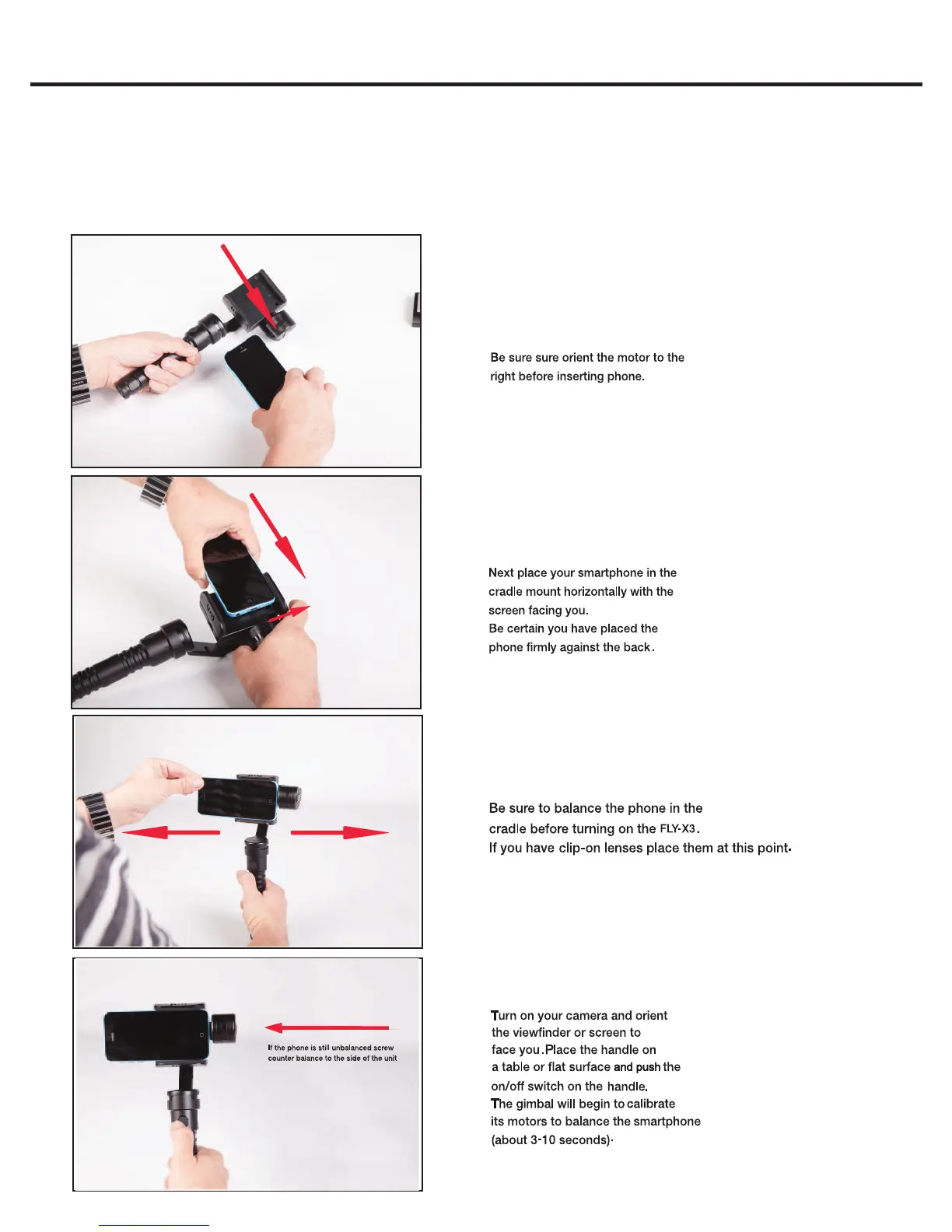
Inserting Smartphone into Cradle
Orient the Motor to the right
Balancing Phone in Cradle
FLY-X3
FLY-X3 Smartphone Gimbal QUICKSTART GUIDE
Calibrate your FLY-X3


 To Next Page