4
English
Get started
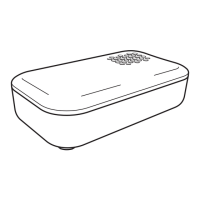
BADRING water sensor detects the presence of water
in indoor environments and sounds an alarm. It can be
used with DIRIGERA hub and IKEA Home smart app to
notify you of a water leak, even if you are away from
home.
Get started with
DIRIGERA hub
1. Open the back of the
sensor and insert an
AAA/HR03 battery.
2. Download the IKEA
Home smart app and
follow the instructions
on your screen.
3. Close the battery
compartment and place
the sensor wherever
you want to monitor
the presence of water.
Get started without
DIRIGERA hub
1. Open the back of the
sensor and insert an
AAA/HR03 battery.
2. Close the battery
compartment and place
the sensor wherever
you want to monitor
the presence of water.
3. The sensor is ready to
use straight away.
IKEA Home smart app
For Apple devices, download the app using the
App Store. For Android devices, download the
app using Google Play store.
Get to know your product
You can use the sensor in damp locations, like
bathrooms, laundry rooms or basements.
The sensor has two metal prongs underneath and will
sound an alarm when both prongs come into contact
with water.


 To Next Page