OVEN CONTROLS
Operating oven light
The interior oven light will automatically turn
on when the oven door is opened. Press the oven
light key located on the control panel to turn the in-
terior oven light on and off whenever the oven door
is closed.
The interior oven light is located at the upper left
rear wall of the oven interior. To change the interior
oven light, see “Changing the oven light” in the Care
& cleaning section.
Setting oven lockout
The control can be programmed to lock the oven
door and lockout the oven control keys.
To activate the oven lockout features:
1. Be sure oven door is completely closed.
2. Press and hold the lock key for 3 seconds. The
motor driven door latch mechanism will begin
locking the oven door automatically. Do not
open the oven door. Allow about 15 seconds for
the oven door to completely lock. Once door is
locked, the word DOOR with a lock icon will ap-
pear in the display.
To cancel the oven lockout feature:
1. Press and hold the lock key for 3 seconds. The
motor door latch will begin unlocking the oven
door automatically. Do not open the oven door.
Allow about 15 seconds for the oven door to
completely unlock.
2. When the word DOOR with a lock icon no longer
displays, the oven door may be opened, and the
oven control keypad will be available for use.
3. If a control key is pressed when OVEN LOCKOUT
is active, the control will triple beep indicating
the key action is not available when the OVEN
LOCKOUT feature is active.
Temperature display
(Fahrenheit/Celsius)
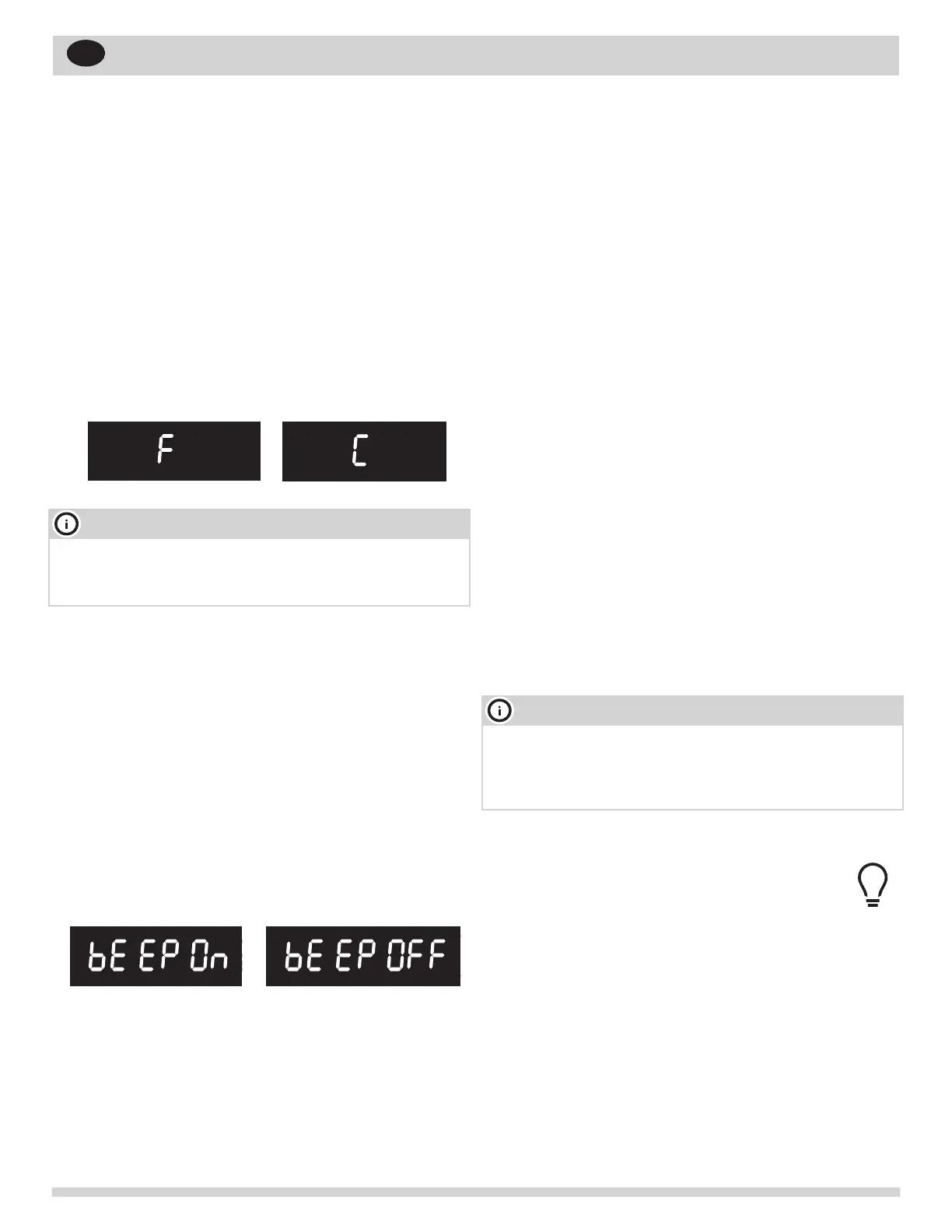
The electronic oven control is set to display °F
when shipped from the factory. The display may be
changed to show either °F or ºC oven temperatures.
To change temperature display mode from °F
to °C or from °C to °F:
NOTE
The oven temperature display cannot be changed
during the cooking process or if a delay start has
been set or self clean is active
1. Press and hold Broil for 6 seconds.
2. Once F (or C) appears in the display, press Self
Clean to toggle between Fahrenheit and Celsius
temperature display modes.
3. Press OK/START to accept the choice.
Setting Silent or Audible Control mode
Silent mode allows the oven control to operate with-
out audible tones. The control may be programmed
for silent operation and later reset to operate with
all the normal audible tones.
To set for silent or audible mode:
1. Press and hold Delay Start for 6 seconds.
2. Press the Self Clean key to toggle between
bEEP On or bEEP OFF.
3. Press OK/START to accept the choice.
NOTE
If any control key is pressed with the oven lockout
feature active, Loc will appear in the display until
the control key is released. But it does not disable
the clock, kitchen timer, or the interior oven lights.
23
EN



 To Next Page