OVEN CONTROLS
Setting Broil
Use the broil function for foods that require direct
exposure to radiant heat and for optimum brown-
ing results. Broiling may produce smoke. If smoke
is excessive, place food further away from the broil
element.
The broil feature preset to 550°F. Broil may be set
at any temperature between 400°F (205°C) and
550°F (288°C).
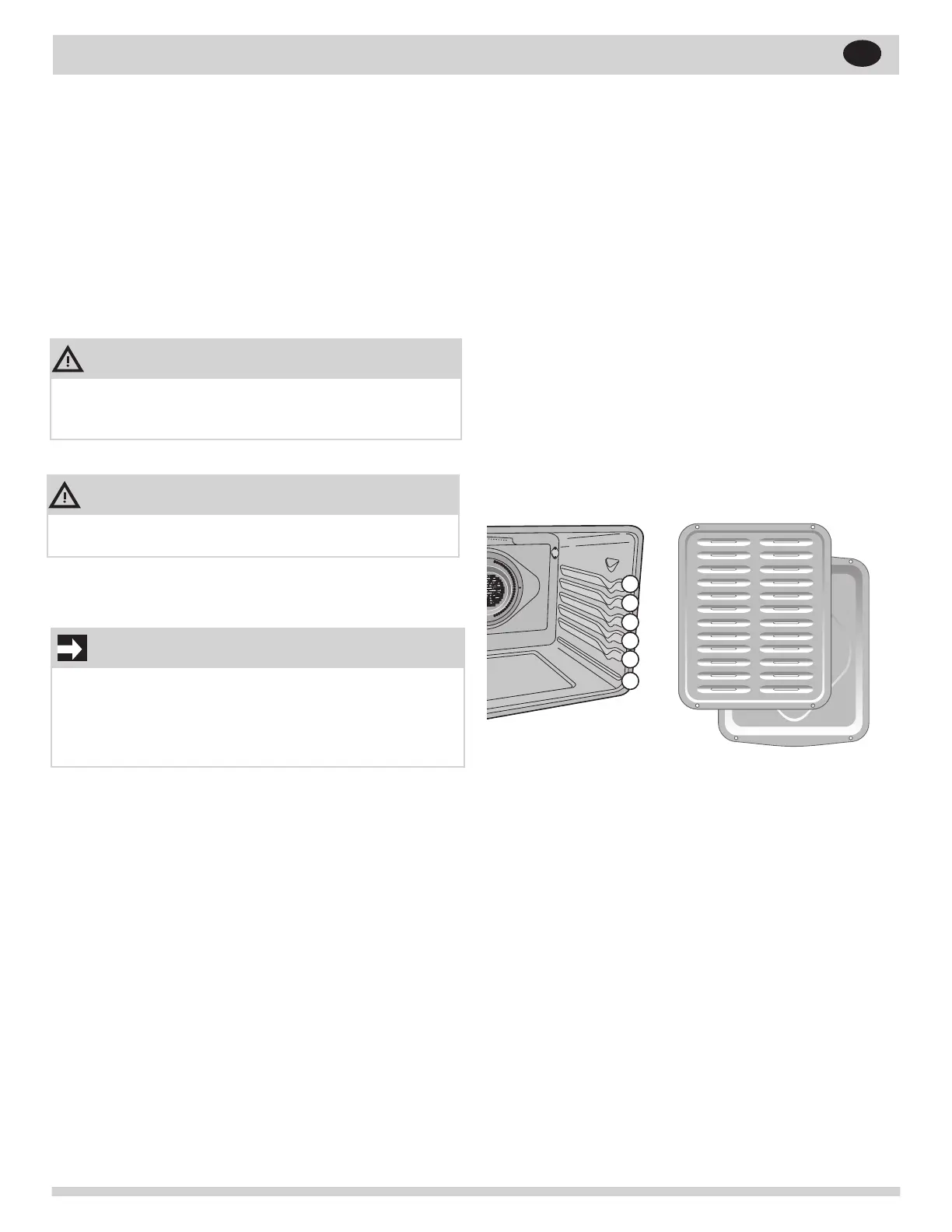
Figure 17: Rack positions; Broil pan and insert.
To set broil with the default broil oven
temperature of 550°F:
1. Arrange the oven racks when cool. For optimum
browning results, preheat oven for 2 minutes
before adding food.
2. Press Broil. Broil with oven door closed.
3. Position bakeware in oven.
4. Press OK/START. To adjust the broil tempera-
ture, press Broil again and then enter the new
temperature using the number keys.
Press OK/START.
5. Broil on one side until food is browned; turn and
broil other side until done to your satisfaction.
6. When nished broiling, press OFF.
7. To cancel broil at any time, press OFF.
IMPORTANT
OPEN DOOR BROIL SHUTOFF: If the oven door
is left open during Broil for more than 3 minutes
an alarm will sound to notify the user to close the
oven door. If the door is not closed the oven will
turn off within 30 seconds of the open door alarm.
CAUTION
Always use oven mitts. Oven racks will become
very hot which can cause burns.
WARNING
Should an oven re occur, close the oven door and
turn the oven off. If the re continues, use a re
extinguisher. Do not put water or our on the re.
28
EN



 To Next Page