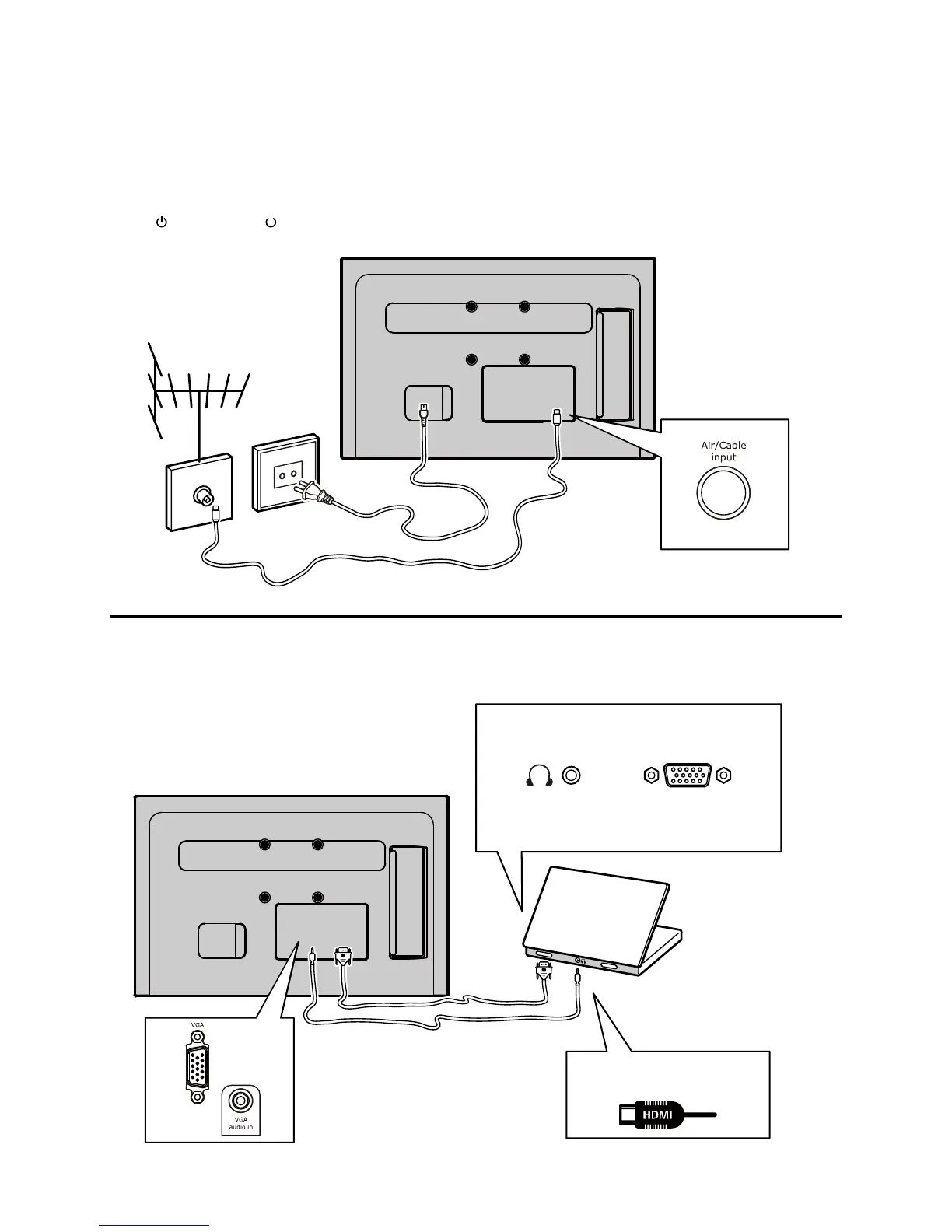
Connect the power and antenna
To switch on TV after connecting power cord,
press or POWER/ .
Note:
Position of power socket varies according to
TV model. On certain models, you have to
turn on the power switch rst.
Cable
PC
Note:
Before connecting a PC, set the PC monitor
refresh rate to 60Hz.
Or use an HDMI
connection.


 To Next Page