EasyManua.ls Logo

IKEA VAPPEBY - User Manual

IKEA VAPPEBY
32 pages
Print Icon
To Next Page IconTo Next Page
Loading...
VAPPEBY

Questions and Answers

  • C
    Christopher LyonsJul 26, 2025
    Why is the sound quality poor when playing via Bluetooth on my IKEA VAPPEBY Speakers?
    • D
      Darrell StanleyJul 26, 2025
      If you experience poor sound quality when playing audio via Bluetooth on your IKEA Speakers, the Bluetooth reception might be weak. Try moving your device closer to the speaker or removing any obstacles that could be interfering with the signal.
  • V
    vmcleanJul 31, 2025
    What to do if sound quality is poor when playing via AUDIO IN input on my IKEA Speakers?
    • P
      Paul GarciaJul 31, 2025
      If you're experiencing poor sound quality when using the AUDIO IN input on your IKEA Speakers, make sure the volume on your phone, tablet, or media device is not set to the maximum. If it is, reduce the volume to see if that improves the sound quality.
  • W
    William WheelerAug 7, 2025
    What to do if IKEA Speakers have poor sound quality via Bluetooth?
    • E
      Edward TaylorAug 7, 2025
      If you experience poor sound quality when playing audio via Bluetooth on your IKEA speaker, the Bluetooth reception might be weak. Try moving your device closer to the speaker or removing any obstacles that may be interfering with the Bluetooth signal.
  • M
    Michael HayesAug 12, 2025
    What to do if I cannot use Bluetooth on my IKEA Speakers?
    • A
      Alicia RodriguezAug 12, 2025
      If you're having trouble using Bluetooth on your IKEA Speakers, here are a few things to check: * Ensure that a 3.5 mm connector is not plugged into the AUDIO IN jack on the rear panel. * Confirm that your phone, tablet, or media device supports Bluetooth. * Make sure you are connecting to the correct IKEA device, named VAPPEBY 20 gen3. * Verify that Bluetooth is turned on and paired on your device. * Check for other paired Bluetooth devices nearby and, if present, disable their Bluetooth function to avoid interference.
  • J
    Jessica RodriguezAug 19, 2025
    Why do IKEA Speakers have poor sound quality via AUDIO IN input?
    • W
      Walter CobbAug 19, 2025
      If you notice poor sound quality when using the AUDIO IN input on your IKEA speaker, the volume on your connected device (phone, tablet, etc.) might be too high. Try lowering the volume on your device to see if it improves the sound quality.

Summary

Product Components and Indicators

Component Identification

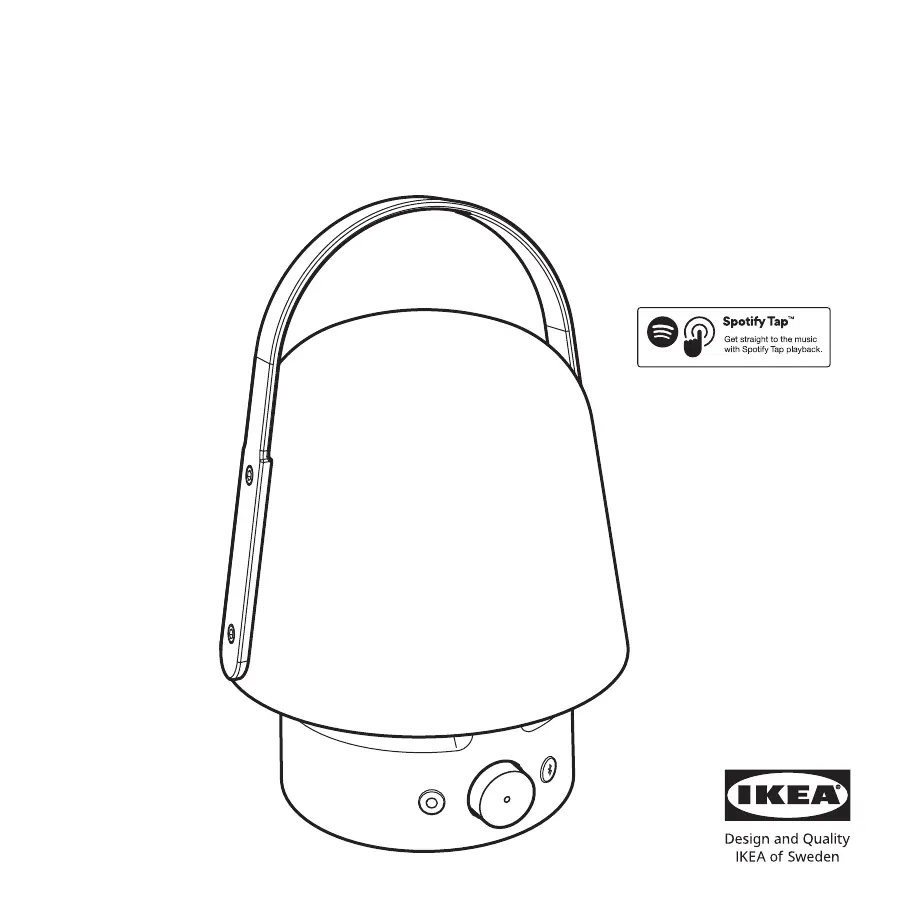
Identifies USB-C port, dial, buttons, and LED indicator.

LED Status Meanings

Explains the different states indicated by the LED light.

Product Operation and Features

Getting Started and Power

Instructions for initial charging and recommended power supply.

Lamp Control

How to turn the lamp on, off, and adjust its brightness.

Speaker Control

How to turn the speaker on/off, play/pause music, and adjust volume.

Bluetooth and Spotify Tap

Steps for Bluetooth pairing, auto-off, and using Spotify Tap™.

Usage Tips and Safety Warnings

First Use and Music Control

Guide for initial setup, music playback, and changing tracks.

Good to Know

Information on outdoor use, charging, storage, and cleaning.

General Warnings

Crucial safety warnings and precautions for product use.

Care, Safety, and Technical Specifications

Care and Servicing

Guidelines for cleaning and product maintenance.

RF Exposure and Safety

Information regarding radio frequency exposure and potential risks.

Technical Data

Specifications including model, battery, power, operating temps, and IP class.

Compliance and Trademarks

Trademark Information

Mentions Bluetooth and Spotify Tap™ trademarks.

FCC and Regulatory Compliance

Details FCC rules, compliance, warnings, and notes for the device.

Environmental and Interference Information

Radio Interference Guidance

Advice on preventing and correcting radio interference.

Product Disposal and Recycling

Instructions for environmentally responsible disposal of the product.

IKEA VAPPEBY Specifications

General IconGeneral
Bluetooth5.0
Water resistanceIP67
Charging portUSB-C
Power SourceRechargeable Battery
Product typeBluetooth speaker
ColorBlue

Related product manuals