EasyManua.ls Logo

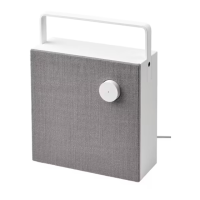
IKEA ENEBY 20 gen 2 - User Manual

IKEA ENEBY 20 gen 2
28 pages
Print Icon
To Next Page IconTo Next Page
Loading...
ENEBY

Questions and Answers

  • G
    gallaghermargaretJul 25, 2025
    What to do if I can't use Bluetooth on my IKEA ENEBY 20 gen 2?
    • E
      Edwin LewisJul 26, 2025
      If you cannot use Bluetooth with your IKEA Speakers, ensure the following: * A 3.5mm connector is not plugged into the AUDIO IN jack on the rear panel. * Your phone, tablet, or media device supports Bluetooth. * You connect to the IKEA device called ENEBY 20/30. * Your device is paired and Bluetooth is turned on. * No other Bluetooth devices in the room are paired. If they are, turn off their Bluetooth function.
  • M
    Margaret RileyJul 31, 2025
    Why is the sound quality poor when playing via Bluetooth on my IKEA ENEBY 20 gen 2?
    • M
      Mary SloanJul 31, 2025
      Poor Bluetooth sound quality can occur if the reception is weak. Try moving your device closer to the speaker or removing any obstructions between them. Bluetooth typically works best within a 6-8 meter range with a clear path.
  • Z
    zgarciaAug 6, 2025
    What to do if the sound quality is poor when playing via AUDIO IN input on my IKEA ENEBY 20 gen 2 Speakers?
    • C
      Cathy MartinAug 6, 2025
      If you experience poor sound quality when using the AUDIO IN input, make sure that the volume on your phone, tablet, or other media device is not set to maximum. If it is, reduce the volume.
  • D
    David ColemanAug 13, 2025
    How to fix poor sound quality when using AUDIO IN with IKEA ENEBY 20 gen 2 Speakers?
    • D
      Donna MillerAug 13, 2025
      If you are experiencing poor sound quality when playing via the AUDIO IN input on your IKEA Speakers, your phone, tablet, or media device might be set to maximum volume. Try turning down the volume on your device.
  • S
    Sara JohnstonAug 19, 2025
    What to do if I cannot use Bluetooth on my IKEA ENEBY 20 gen 2 Speakers?
    • C
      Connor WrightAug 19, 2025
      If you're having trouble connecting via Bluetooth, ensure that a 3.5mm connector isn't plugged into the AUDIO IN jack on the rear panel. Also, confirm that your device supports Bluetooth and is paired with the IKEA device named ENEBY 20/30, with Bluetooth turned on. Finally, check for other paired Bluetooth devices nearby and disable their Bluetooth function to avoid interference.

Summary

ENEBY Speaker Components and Overview

Getting Started with ENEBY Speaker

Initial Setup and Bluetooth Pairing

Guides on connecting power, turning on, and pairing Bluetooth devices.

Advanced ENEBY Settings and Functions

Stereo Pairing and Bluetooth Unpairing

Instructions for creating stereo pairs and unpairing devices from the speaker.

Safety Precautions and Important Notices

General Operational Safety Warnings

Advisories on ventilation, heat sources, liquids, and electrical equipment.

Environmental and Usage Guidelines

Information on operating temperature, sunlight, moisture, and volume.

Troubleshooting Common ENEBY Issues

Bluetooth Connectivity Problems

Solutions for issues with pairing and connecting via Bluetooth.

Audio Quality Troubleshooting

Tips for resolving poor sound quality via Bluetooth or audio input.

IKEA ENEBY 20 gen 2 Specifications

General IconGeneral
BrandIKEA
CategorySpeakers
BluetoothYes
Bluetooth Version5.0
Wireless TechnologyBluetooth
Bluetooth RangeUp to 10 meters
Power SourceBattery or AC Adapter
Water ResistanceNo
Color OptionsBlack, White
MaterialPlastic, Fabric
Product NameENEBY 20
Battery LifeUp to 10 hours
Width20 cm
Height20 cm
Charging Time3 hours
Input Power100-240V
Additional FeaturesCarry handle

Related product manuals