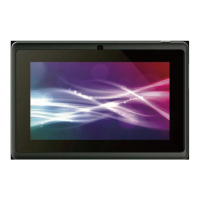
Thank you for choosing ILIKE Q7 TABLET PC!
To make the best use of your Tablet, please read this manual carefully.
ILIKE Q7 is an Android intelligent Tablet, it has the ultra-thin fashion appearance, it supports
application software installation and unloading from Android electronic market, WLAN network
connection, touch capacitive screen.
This manual systematically introduces many functions of ILIKE Q7 TABLET PC, tips and notes.
The illustrations in this manual are only for reference, and their functions are based on the real product.
The company reserves the right of final interpretation.
Install and Unload MICRO SD Card
Aim at the Micro SD cardslot and push the Micro SD cardgently, and the Micro SD card
will be inserted correctly.
Prompt: If the memory card is failed, please check whether it is correctly placed and good contact
of metal point.
Charging
Insert the charger on the charging interface at the top of the Tablet PC. After inserting the
charging plug, battery strength icon stripe at the top right corner of the screen is scrolling, which
means that the charging is processing; when the stripe is full of the whole icon and stop scrolling,
which means that the battery charging is completed; when the charging is completed, please pull
out the plug. When electric quantity is not enough, warning message will be sent; and electric
quantity shows empty. When electric quantity is too low, the Tablet PC will power off automatically.
Please don’t make the battery in the status of not enough electric quantity for a long time; otherwise
it may damage the battery quality and service life. Please don’t charge the battery for a long time.
Prompt: In order to ensure normal operation of the Tablet PC, please make sure to use
the designated charger.
Power On/Off
In the power-off mode, long press [Power] key, it will power on; otherwise. In the power-on, long
press [Power] key, and choose Power off, it will power off.
In any other interface, short press this button to lock the screen.
Warning:As Tablet PC can cause interference and dangerous where you are prohibited to use
Tablet PC, please power off your Tablet PC.
Turn On /Off Screen
Turn Off Screen
Please short press [Power] to turn off the screen to save power.
Turn On Screen
When the screen is off, please short press [Power] to wake up the screen.


 To Next Page
 Loading...