Pairing
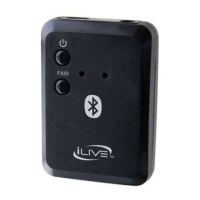
1. Press the Power Button.
2. The Pair Indicator will ash slowly
when searching, then quickly to
enter pairing mode. If this does
not occur, press the Pair button.
3. Using the native controls
on your Bluetooth device,
select the “IAB13” to pair.
If your device requests a password,
enter the default password “ 0 0 0 0 ”.
Refer to the user’s manual for your
specic device for instructions on pairing
and connecting Bluetooth devices.
4. Press the Power Button to turn
o and disconnect the IAB13.


 To Next Page