Operations
Setting the Clock
a. Press and hold the CLOCK SET button.
b. While holding the CLOCK SET button, press the HR button to adjust the hour and
the MIN button to adjust the minute.
c. The PM indicator on the LCD Display will tell you if the time is set to PM, and the
AM indicator on the LCD Display will tell you if the time is set to AM.
Listening to the Radio
a. Toggle the POWER OFF / iPOD (AUX) / RADIO switch to RADIO.
b. Choose between AM or FM radio by toggling the AM/FM switch to AM or FM.
c. Use the TUNING dial to adjust the AM or FM radio frequency.
• Extend the FM Antenna for better FM reception. To improve the AM reception,
adjust the position of the entire unit, as an AM antenna is built into the unit.
Viewing Video or Photos from your iPod on an External Device
a. Using a video cable, connect an external device such as a tv to the VIDEO OUT
port on the player.
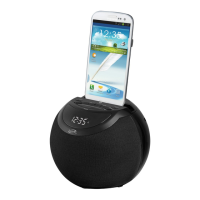
b. Insert your iPod with video or photo capabilities into the iPod Docking Station with
the appropriate insert.
c. You will now be able to control your iPod from the player’s control panel. Using
the PLAY/PAUSE, NEXT/SEARCH, and PREV/SEARCH buttons you can move
from one video or photograph to the next, play, and pause.
Connecting Other Digital Audio Devices
a. Use an Aux-In cord to connect an iPod shufe or other audio device to the Aux-In
port.
b. Switch the POWER OFF / iPOD-AUX / RADIO Toggle Switch to iPOD/AUX.
c. The iPod shufe or other audio device will now play through the speakers of the
player.
6


 To Next Page