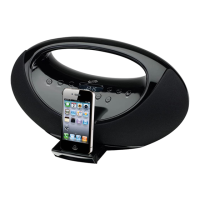
10 11
CONTROLS
R
DC: 10V 1A
AUX
L
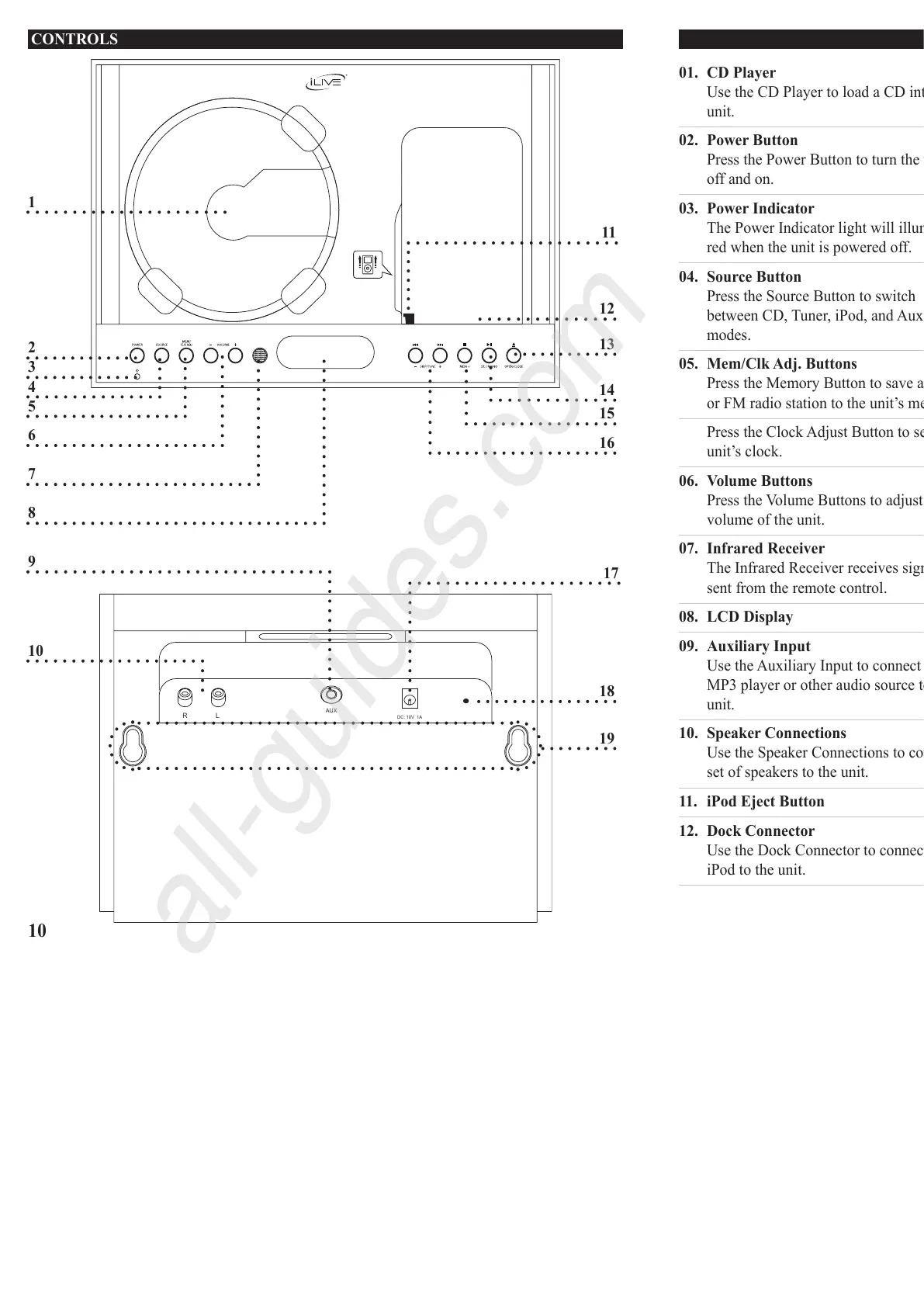
1
10
9
2
3
4
5
6
7
8
12
13
18
19
14
15
16
17
CONTROL GLOSSARY
01. CD Player
UsetheCDPlayertoloadaCDintothe
unit.
02. Power Button
PressthePowerButtontoturntheunit
off and on.
03. Power Indicator
ThePowerIndicatorlightwillilluminate
redwhentheunitispoweredoff.
04. Source Button
PresstheSourceButtontoswitch
betweenCD,Tuner,iPod,andAux
modes.
05. Mem/Clk Adj. Buttons
PresstheMemoryButtontosaveanAM
orFMradiostationtotheunit’smemory..
PresstheClockAdjustButtontosetthe
unit’sclock.
06. Volume Buttons
PresstheVolumeButtonstoadjustthe
volumeoftheunit.
07. Infrared Receiver
TheInfraredReceiverreceivessignals
sentfromtheremotecontrol.
08. LCD Display
09. Auxiliary Input
UsetheAuxiliaryInputtoconnectan
MP3playerorotheraudiosourcetothe
unit.
10. Speaker Connections
UsetheSpeakerConnectionstoconnecta
setofspeakerstotheunit.
11. iPod Eject Button
12. Dock Connector
UsetheDockConnectortoconnectan
iPodtotheunit.
13. Open/Close Buttons
PresstheOpen/CloseButtontoopenor
closetheMotorizedCD/iPodDoor.
14. Play/Pause/St./Mono Button
PressthePlay/PauseButtontoplayand
pausealoadedCDordockediPod.
PresstheSt./MonoButtontoswitch
betweenFMStereoandFMmonomodes.
15. Stop/Mem+ Button
PresstheStopButtontostopaCDduring
play.
PresstheMem+Buttontocyclethrough
savedradiostations.
16. Skip/Tune Button
PresstheSkipButtontoskipbetween
tracksonaloadedCDordockediPod.
PressandholdtheSkipButtontosearch
throughanindividualtrackonadocked
iPod or loaded CD.
PresstheTuneButtontotunetheAMor
FM radio.
17. DC Power Input
UsetheDCPowerInputtoconnectthe
includedAC/DCadaptertotheunit.
18. FM Wire Antenna
AdjusttheFMWireAntennatoimprove
FM radio reception.
An AM antenna is built into the unit.
Adjust the position of the unit to improve
AM radio reception.
19. Wall Mount Connections
11



 To Next Page