EasyManua.ls Logo

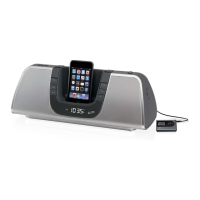
iLive IS208B - User Manual

iLive IS208B
16 pages
Print Icon
To Next Page IconTo Next Page
Loading...
INSTRUCTION MANUAL
IS208B
Contents
Warnings & Precautions ................................................................................... 3
Important Safety Instructions ............................................................................ 4
In the Box & Features ....................................................................................... 5
Powering the Unit ............................................................................................. 6
Docking an iPod ............................................................................................... 7
Playing an iPod................................................................................................. 8
Setting the Clock .............................................................................................. 9
Connecting to a Stereo System using the Aux Output ................................... 10
Connecting to an Audio Player using the Aux Input ....................................... 11
Location of Controls and Control Denitions .............................................12-15
Service information ......................................................................................... 16

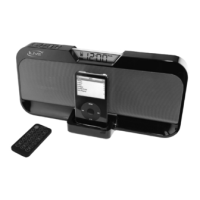
Other manuals for iLive IS208B

Questions and Answers

  • J
    Jennifer SmithJul 26, 2025
    What to do if my iLive Speakers have no power?
    • S
      sawyerchristopherJul 26, 2025
      If your iLive Speakers are not powering on, first ensure that the power switch at the wall is turned on. Also, verify that the power cord is correctly and securely plugged into the power outlet.
  • O
    onewmanJul 30, 2025
    How to fix no sound on iLive Speakers?
    • T
      taylorchristianJul 31, 2025
      If you're experiencing no sound from your iLive Speakers, make sure the volume control is not set to the minimum level. Also, check that the speakers are not muted.
  • T
    Todd ReedAug 4, 2025
    Why won’t the remote control for my iLive Speakers work?
    • S
      Shaun MitchellAug 4, 2025
      If the remote control for your iLive Speakers isn't working, try these steps: * Check and replace the batteries in the remote. * Ensure that nothing is blocking the path between the remote and the front of the speakers.
  • S
    swansonarthurAug 9, 2025
    What to do if function of iLive Speakers is disturbed?
    • D
      Darrell BrownAug 9, 2025
      If your iLive Speakers' function is disturbed, try switching off the system and unplugging it. Wait for two minutes, then plug it back in and switch it on again.
  • C
    cynthiawareAug 14, 2025
    How to improve poor radio reception on iLive Speakers?
    • J
      Jessica WilliamsAug 15, 2025
      To improve poor radio reception on your iLive Speakers: * Adjust the antenna's location and position to get the best signal. * Make sure you're tuned to the correct radio channel frequency.
  • S
    Sarah ThomasAug 19, 2025
    What to do if the TFT display of iLive Speakers is frozen?
    • J
      Jonathon HillAug 19, 2025
      If the TFT display on your iLive Speakers is frozen or showing a mosaic-like pattern, this could be due to electrostatic discharge (ESD) from touching the screen frame. Disconnect the unit from the power supply and then reconnect it.

Summary

Warnings & Precautions

Important Safety Instructions

Comprehensive safety guidelines for product operation and handling.

In the Box & Features

Whats Included

Lists all items provided in the product packaging.

Product Features

Details the key functionalities and capabilities of the IS208B unit.

Powering the Unit

Battery Information

Explains the function of batteries for clock backup and power outage protection.

Docking an iPod

Playing an iPod

Setting the Clock

Connecting to External Systems

Connecting to Stereo System (Aux Output)

Instructions for connecting the unit to a stereo system or TV via the auxiliary output.

Connecting Audio Player (Aux Input)

Instructions for connecting an audio player via the auxiliary input.

Controls Overview

Unit Controls Location

Illustrates the physical location of controls on the main unit.

Remote Control Location

Illustrates the physical location of buttons on the remote control.

Control Definitions

Unit Control Definitions

Explains the function of each control button located on the main unit.

Remote Control Definitions

Explains the function of each button on the remote control.

Service Information

iLive IS208B Specifications

General IconGeneral
BrandiLive
ModelIS208B
CategoryDocking Station
CompatibilityiPod, iPhone
Power SourceAC Adapter
Audio OutputStereo
FeaturesFM Radio, Alarm Clock
Connectivity3.5mm Audio Jack

Related product manuals