EasyManua.ls Logo

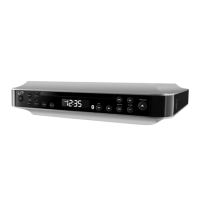
iLive IHB603B - Device Orientation; Speaker Controls and Inputs

iLive IHB603B
12 pages
Print Icon
To Next Page IconTo Next Page
To Previous Page IconTo Previous Page
Loading...
6
Speaker Controls & Inputs
Orientation
Mode/
Memory
Press to program
tracks to play in a
specific order.
In FM Radio mode,
press and hold
to begin saving a
station as a preset.
ALARM / EQ CLK SET / SLEEP PAIRTUNE +TUNE – VOLUME MODE / MEM OPEN
POWER / SOURCE
ALARM OFF
LINE IN
DC IN 5V
FM ANT.
USB CHARGING
Power/
Source /
Alarm Off
Press to power the
music system on,
press and hold to
power off.
In on mode, press
to switch between
sources.
Press to turn the
alarm off.
Alarm/EQ
In off mode, press
to begin setting
the alarm.
In on mode, press
to adjust the preset
EQ to Rock, Classic,
Jazz, or Pop.
Clk Set/Sleep
In off mode, press
and hold to begin
setting the clock
In on mode, Press
to begin setting
the sleep timer.
Open
Press to open and
close the CD door.
Play/Pause
Press to play or
pause a loaded
CD or a connected
Bluetooth device.
Skip/Search/
Tune (+/-)
Press to skip
between tracks
on a connected
Bluetooth device.
Press and hold to
search through an
individual track.
Press to tune the
FM radio.
Press and hold to
search for the next
available station.
Volume
Press to adjust the
volume.
Pair/ Stop
Press and hold to
begin connecting a
Bluetooth device.
Press to stop a CD
during play.
Line InUSB Charger
Connect a USB
device to charge.

Related product manuals