10
Charging
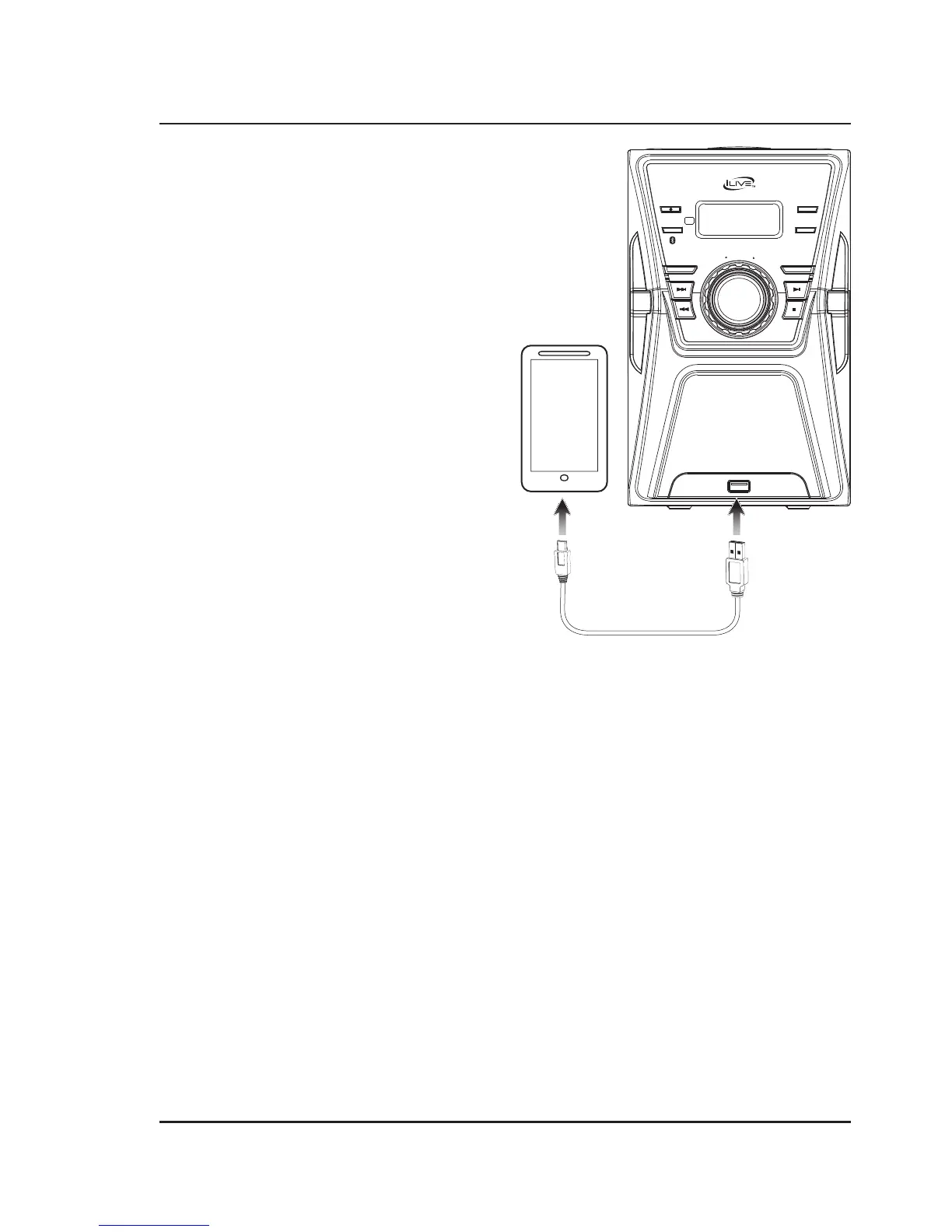
Charging a Device
1. Make sure the unit is plugged into the wall.
2. Using the appropriate USB charging cable (not
included), connect one end to the device and the
other to the USB Charger on the unit.
3. Refer to the user’s manual for your specific device
for manufacturers required charging amperage as
well as determining the appropriate cable for your
device before charging.
Note: This device uses a USB charging port with
a 500mA maximum charging capacity, making it
unsuitable for charging iPads.
4. The device will now charge.
POWER
PAIR
SOURCE
EQ
REPEAT / MEM+
PROGRAM / MEMORY
CLK SET
TUNE –
TUNE +
USB CHARGER
M
A
S
T
E
R
V
O
L
U
M
E


 To Next Page