Customer Support: 1-888-999-4215 9
iPod and iPhone
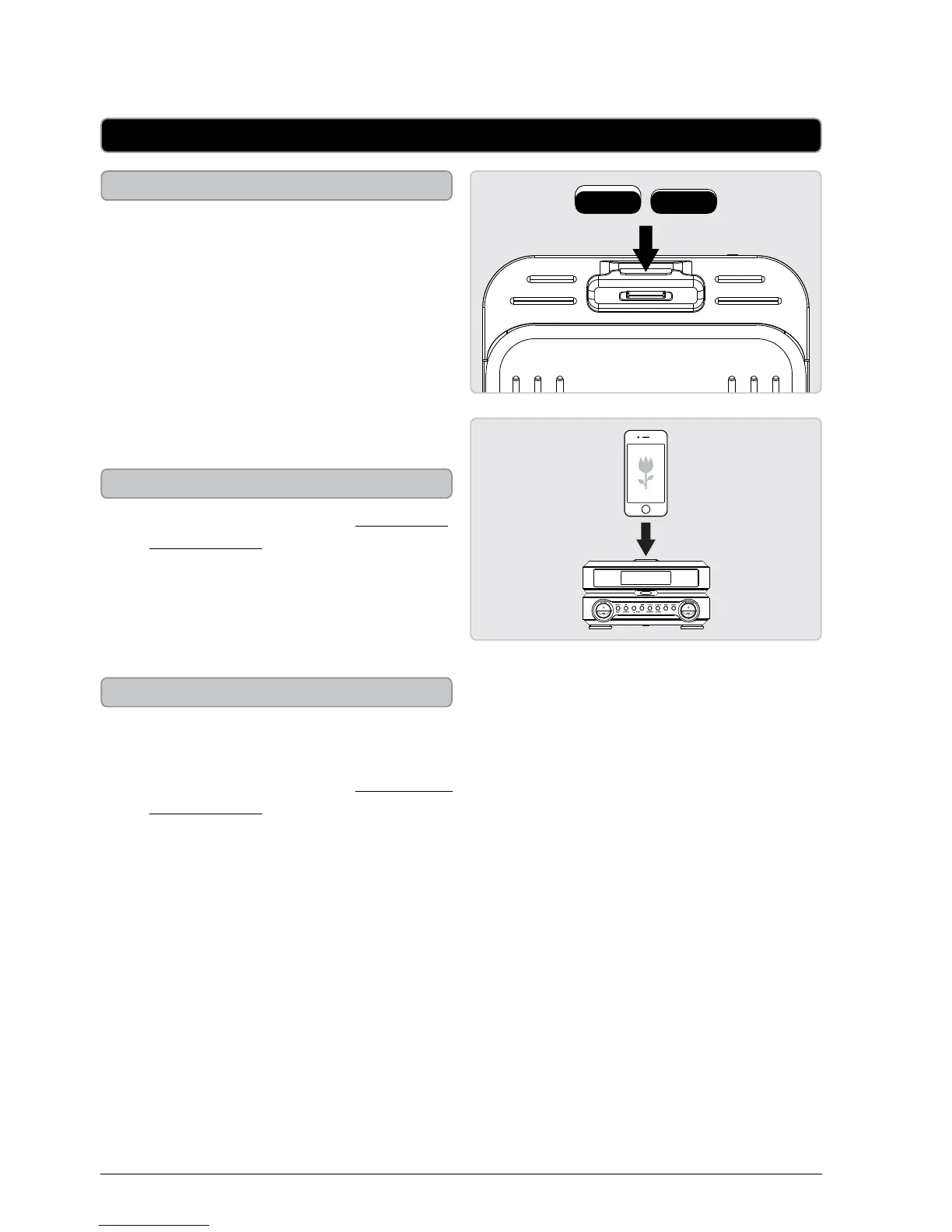
Docking an iPod or iPhone
1. Attach the included rubber spacers
to the back of the dock as needed to
properly support your iPod or iPhone
model.
2. Connect the iPod or iPhone to the
connector inside the Dock for iPod and
iPhone.
3. When the dock is plugged in, using AC
power, the docked iPod or iPhone will
charge.
Playing a Docked iPod or iPhone
1. Follow the instructions for Docking an
iPod or iPhone.
2. Press the Source button to switch to
iPod mode.
3. Press the Play/Pause button to begin
playing the docked iPod or iPhone.
Auto Time Sync with iPod or iPhone
1. Press the Power button to turn the
clock radio o.
2. Follow the instructions for Docking the
iPod or iPhone.
Auto time sync will not work with all
iPods.
3. When an iPod or iPhone is docked with
the clock, the clock will automatically
synchronize it’s time with the docked
iPod or iPhone.
4. If the clock does not automatically
sync, press and hold the Clock button
for 3 seconds to manually sync the
clock with the docked iPod or iPhone.



 To Next Page