7
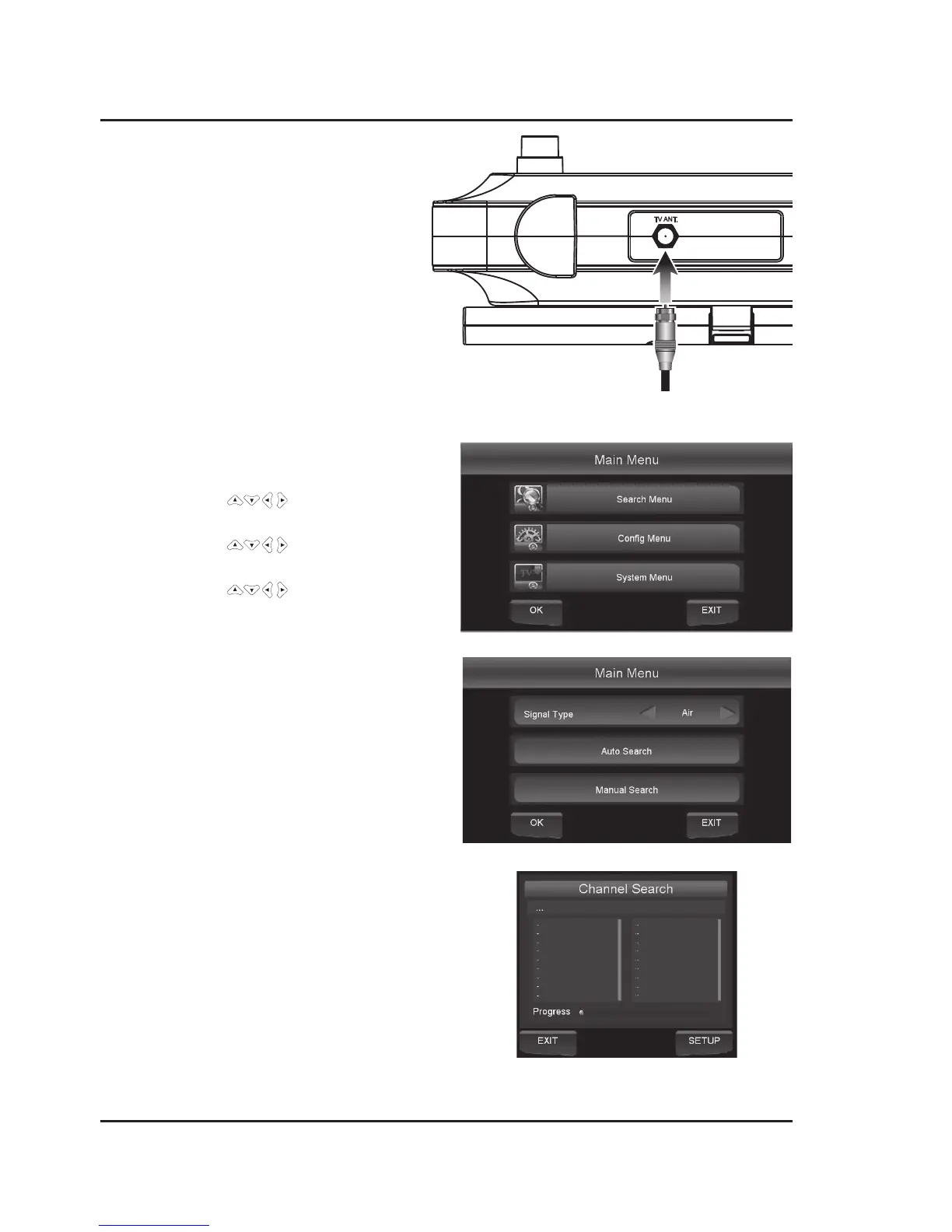
Cable/TV Antenna
Required: cable/antenna wire (not included).
1. Connect the Cable/Antenna wire to the input
on the rear of the unit.
2. Press the Source button to switch to " t V".
Note: Due to the way in which the display reads,
the letter "V" can appear to read as the letter "U".
Automatic Channel Search
1. Press the Setup button on the remote to access the
Main Menu.
2. Use the Arrow
buttons to highlight the
Search Menu icon and press the OK button to select.
3. Use the Arrow
buttons to highlight
Signal Type, then select AIR or Cable.
4. Use the Arrow
buttons to highlight
Auto Search and press OK to begin scanning for
available channels.
Connecting Devices
TV Antenna Input on rear of unit.


 To Next Page