11
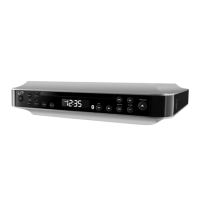
Locations of Controls & Denitions
Dimmer Button8.
Press the Dimmer Button consecutively to adjust between low, medium, and high LCD
display brightness’.
Time Set Button9.
Press and hold the Time Set Button to set the units clock.
Sleep Button 10.
Press the Timer Button consecutively to set the sleep timer between 60 and 10 minutes
(in 10 minute increments).
LCD Display11.
Auxiliary Input12.
Use the Auxiliary Input to connect an audio source (MP3 player) to the unit.
Pair Button13.
Press and hold the Pair Button to have the unit search for nearby wireless speakers.
Backup Battery Compartment (Requires 2 AAA batteries, not included)14.
Note: The Backup Battery Compartment will only backup the unit’s time for a short
period. The unit cannot function on the backup batteries alone.
12
13
14


 To Next Page