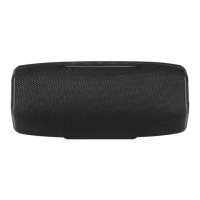
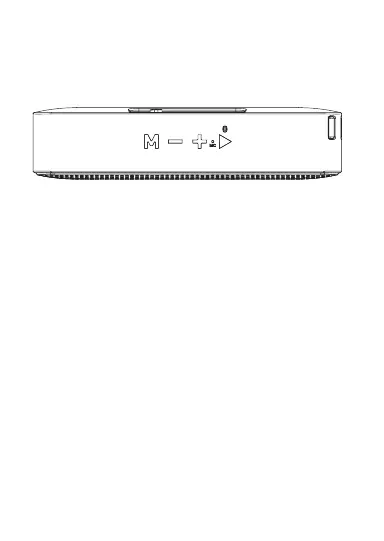
M (Source)
• Press to switch Bluetooth mode. You can
switch to Micro-SD or USB if connected.
Press and hold for 5 seconds to turn voice prompts
ON/OFF.
-/+ (Volume)
• Press to adjust volume.
• Press and hold to skip tracks.
Pair/Play/Pause/Speakerphone
• Press to play, pause or answer/end a call.
• Press and hold for manual Bluetooth
pairing, (see “Notes on Bluetooth” section).
DC Input
Power ON/OFF Switch
Features
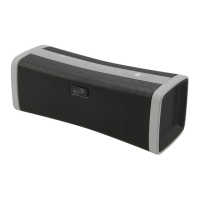
• Bluetooth 5.0
• Wireless range: 49 ft.
• Built-in microphone for hands free speakerphone
• Voice prompts announce speaker functions
• USB & Micro-SD card reader: supports MP3 les
• Micro-USB port for battery recharge
• DC battery power: built-in rechargeable battery
• Battery life: approx. 24 hrs at 50% volume
Includes
• USB charging cable
• User’s guide
LED charging
Indicator
ON OFF
TF
USB
DC5V
Battery Power
• Charge fully before use. The charge time is
approximately 3.5 hours.
• When the unit is charging, the LED Charging
Indicator will display a solid red light. When
charging is complete, the indicator will turn o.
• Using a Micro-USB to USB cable (included),
connect the DC power input on the speaker to the
USB port of a powered on computer or USB power
adaptor (not included) to charge the speaker.
Pairing Bluetooth & Playing Audio
Note: This model features automatic Bluetooth pairing.
1. Power on the speaker, a voice will announce
“Bluetooth,” when the unit is ready to pair. When
pairing, remain within 3 feet of the unit.
2. Using the controls on your Bluetooth device,
select ISB110 in the Bluetooth Settings to pair.
A voice will announce “Bluetooth is connected,”
when the speaker is successfully paired to your
device. If need be, refer to the user’s manual for your
specic device for more information.
3. Use the controls on the connected Bluetooth
device to select and begin playing audio. Use
the controls on the device or the speaker to play,
pause, skip tracks or answer an incoming call.
Notes on Bluetooth
• If the Bluetooth device has not successfully
connected to the speaker, press and hold the
Play button until “Bluetooth is connecting,” is
heard, then repeat steps 2 and 3 from the previous
section.
• The speaker can remember multiple Bluetooth
devices and will always try to reconnect to the last
device used. To reconnect to a dierent device,
turn o Bluetooth on unwanted devices, then
access the Bluetooth settings menu on the device
you wish to use and select ISB110.
ISB110-2594-02-IB.indd 7-12 27/01/2021 10:57:40 AM


 To Next Page
 Loading...