Features
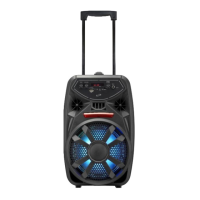
Wireless Party Speaker
User’s Guide for Model ISB293 v3038
• Bluetooth wireless - range 59 ft.
• Voice prompts announce speaker functions
• LED light eects
• Microphone input
• 3.5mm Aux in
• USB port – supports MP3 le format
• SD Card slot
• Carry handle
• Built-in rechargeable battery
• Battery life: approx. 4 hours at 50%
Controls and Functions
11
7
9 108
654
32
1. USB Media Port
2. TF/SD Card Slot
3. Power On/O: Turn to power ON/OFF.
4. DC Power Input: Use to charge the internal battery and power the
speaker. Charge time is approximately 4 hours.
5. Charging Status LED: Solid red light when charging. When the unit is
fully charged, the light will turn o.
6. Microphone Input
7. Aux in (3.5mm Input)
12
Top View Inputs Front View Controls
Bluetooth Wireless
Pairing & Playing Audio
1. When powered on, the speaker will enter Bluetooth Mode
automatically. If you are playing from a dierent source, press the
Mode button to select Bluetooth Mode.
2. Using the Bluetooth setting on your device, search for new devices
and select ISB293. Refer to the user’s manual for your specic device for
instructions on pairing and connecting Bluetooth devices.
3. When successfully paired, a voice prompt will announce the
connection.
4. Use the controls on the connected device to select and begin playing
audio. Use the controls on the speaker or the connected device to play,
pause, and adjust volume.
Note: The speaker will automatically connect to the last paired device when
powering on. If your device becomes unpaired or it is unable to connect, press
and hold the Play/Pause/Pair button for 3 seconds to enter pairing mode. A
voice prompt will announce “Bluetooth is connecting” start from step two to
connect to your device.
Charging the Battery
To power the unit or charge the internal battery, connect the DC Power
Input on the speaker to a standard power outlet using an AC/DC power
adapter (not included).
After charging, unplug charging cable from the speaker. You can play music
and operate the speaker normally during charging.
Party + Mode
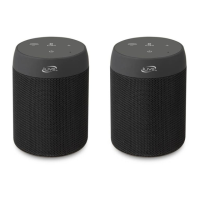
Pair two ISB293 speakers wirelessly to double the audio from your Bluetooth
device.
1. After powering on, press the button twice to enter Party + mode.
The speaker will chime, indicating it is ready to pair. After the speakers
successfully connect, a voice will announce the connection.
2. Using the Bluetooth setting on your device, search for new devices and
select ISB293.
3. To exit Party + Mode, press the button twice on either speaker.
Note: When powered o while paired, the two speakers will reconnect again
after powering on.
Includes
• User’s Guide
• Micro-USB to USB charging cable
• Microphone
Overview
1
8. Volume -/Previous: Press to decrease the volume. Press and hold to
replay previous track.
9. Play/Pause/Party + Pair: Press once while playing music to pause and
resume playback. Press and hold for 3 seconds to disconnect Bluetooth
and enter pairing mode. Press twice to enter Party + Mode.
10. Volume +/Next: Press to increase the volume. Press and hold skip to
next track.
11. Mode: Press to change audio source between Bluetooth, Aux in, USB,
and SD card. Press and hold for 5 seconds to turn Voice Prompts on/o.
12. LEDs: Press and cycle through LED light options. Press and hold to turn
LED lights on speaker grill ON/OFF.

 Need help?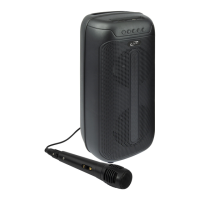

 To Next Page
 General