Need help?
Do you have a question about the iLive ISB2139 and is the answer not in the manual?
Details functions for previous/next track, volume adjustment, and play/pause.
Operates power on/off and switches between audio input modes.
Facilitates hands-free calls and details input/output connections like USB and AUX.
Instructions for pairing the speaker with a mobile device via Bluetooth.
Details on playing music from TF card, USB, or AUX-IN sources.
Guidance on selecting FM radio mode and scanning for channels.
Lists key technical details including Bluetooth version, battery, power, and dimensions.
Describes the charging process and indicator light behavior.
Details the device's compliance with FCC rules for digital devices.
Statement regarding the device's adherence to RF exposure requirements.
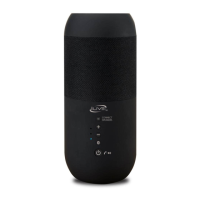
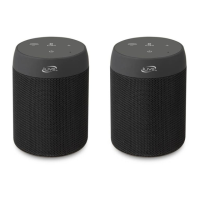
This document describes the ISB2139 Bluetooth Speaker, a portable audio device designed for versatile music playback and hands-free communication. The speaker integrates several input options, allowing users to enjoy audio from various sources, and features intuitive controls for ease of use.
The ISB2139 Bluetooth Speaker serves as a multi-functional audio output device. Its primary function is to play audio wirelessly via Bluetooth, making it compatible with smartphones, tablets, and other Bluetooth-enabled devices. Beyond wireless connectivity, the speaker offers playback from physical media through its TF card and USB slots, enabling users to play music directly from memory cards and USB flash drives. An AUX-IN slot provides a wired connection option for devices without Bluetooth capabilities, ensuring broad compatibility.
In addition to music playback, the speaker includes an FM radio function, allowing users to tune into local radio stations. A built-in microphone facilitates hands-free calling when connected to a smartphone via Bluetooth, enhancing its utility beyond just audio entertainment. The device is designed for portability, making it suitable for use in various settings, both indoors and outdoors.
The ISB2139 speaker is equipped with a set of clearly labeled controls that simplify operation. The central control panel features five main buttons:
The speaker's Bluetooth connection process is straightforward. To connect, users press and hold the Power On/Off & Mode Shift button (5) until the indicator light flashes blue and red alternately, signaling that the speaker is in pairing mode. Users then search for "D11" on their mobile device's Bluetooth settings and select it to establish a connection.
When a TF card or USB flash drive is inserted, the speaker automatically detects the media and begins playing music from it, eliminating the need for manual mode selection in these instances. For wired connections, an AV cable (included in accessories) is used to link the AUX-IN slot on the speaker to the audio output of a mobile phone or other device.
The FM radio function is accessed by pressing the Power On/Off & Mode Shift button (5) until the FM mode is activated. Once in FM mode, pressing the Play/Pause button (2) initiates an automatic scan for radio channels. Users can then adjust the volume using the Previous/V- (1) and Next/V+ (3) buttons.
An LED indicator provides visual feedback on the speaker's status, including charging.
The ISB2139 Bluetooth Speaker incorporates features that facilitate its maintenance and ensure its longevity.
Overall, the ISB2139 Bluetooth Speaker is designed to be a user-friendly, versatile, and portable audio solution, offering multiple playback options and hands-free communication capabilities, all while adhering to relevant safety and performance standards.
 General
| Brand | iLive |
|---|---|
| Model | ISB2139 |
| Type | Portable Bluetooth Speaker |
| Bluetooth Version | 5.0 |
| Output Power | 5W |
| Battery | Rechargeable Lithium-ion |
| Battery Life | Up to 6 hours |
| Water Resistance | No |
| Connectivity | Bluetooth |

 To Next Page