USING LINE IN (AUX IN) JACK
You can play any portable or external audio device with a standard 3.5mm stereo audio cable
(not included) via the LINE IN jack on the unit.
1. Plug one end of a standard 3.5mm stereo audio cable into the earphone or line-out jack on
your external device and plug the another end of the audio cable into the unit's LINE IN
jack.
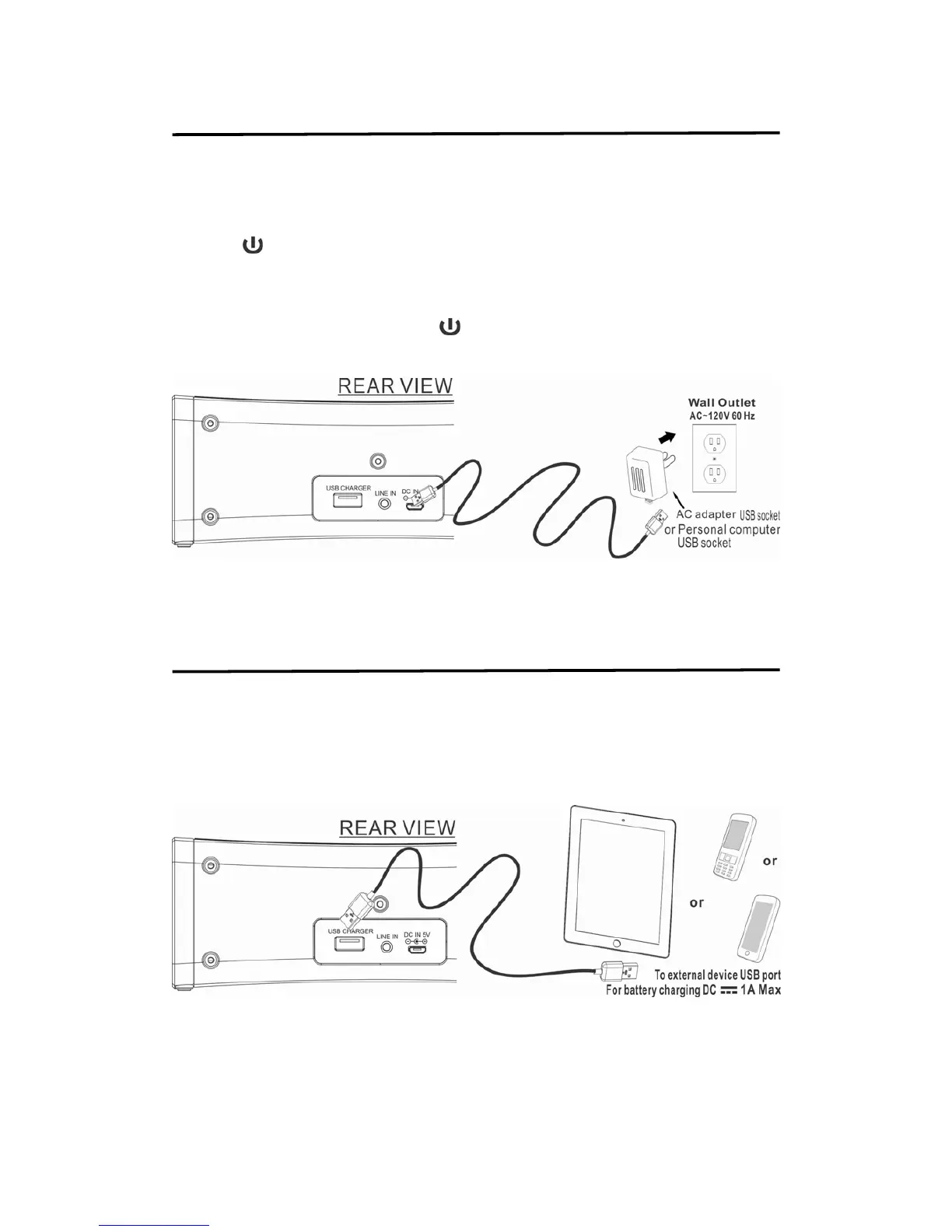
2. Press
button to turn on unit. Green color indicator light on speaker grill.
3. Turn on and play your external audio device.
4. Press the VOLUME buttons to set the speaker volume level. You may need to adjust the
volume on your external device as well.
5. To stop the LINE IN playback, Press
button to turn off unit.
6. Remember to turn off your external audio device after playback.
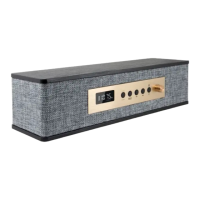
Charging Your Mobile Battery
Use USB of unit to charging your mobile phone.
1. Pull out the USB charge cable carefully.
2. Connect to your mobile phone micro / mini USB port.
3. At this moment, your mobile will start charging and battery charge icon will show on
mobile phone display.


 To Next Page