EasyManua.ls Logo

iLive ISP301B - Page 7

iLive ISP301B
12 pages
Print Icon
To Next Page IconTo Next Page
To Previous Page IconTo Previous Page
Loading...
Customer Support: 1-888-999-4215 7
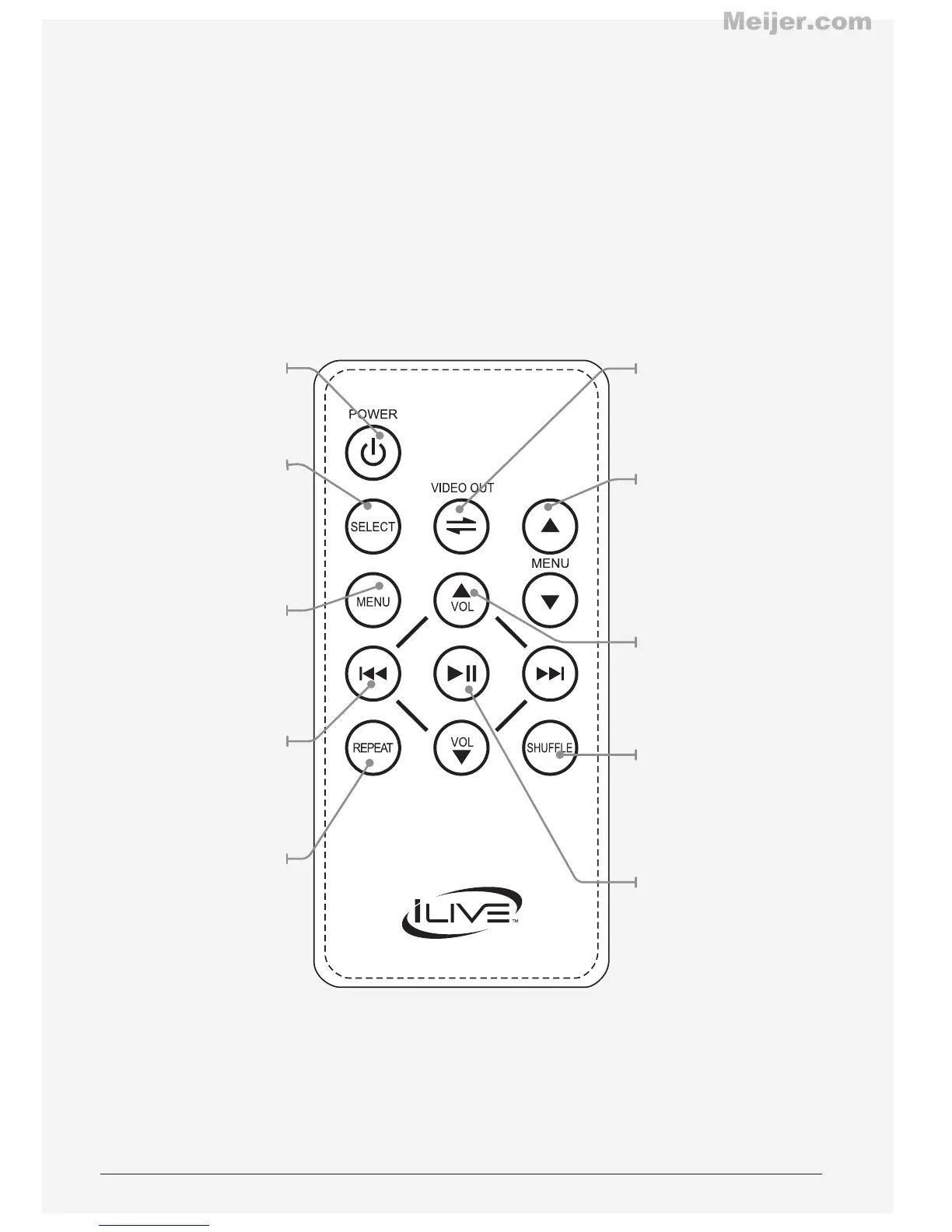
Power
Press to turn the
speaker o or on.
Select
Press to make
selections on
a docked iPod
or iPhone.
Menu
Press to move
through the menus
on a docked iPod
or iPhone.
Skip
Press to skip between
tracks on a docked
iPod or iPhone.
Repeat
Press to repeat a
track on a docked
iPod or iPhone.
Video Out
Press to output
video from a docked
iPhone or iPod Touch.
Menu Up/Down
Press to scroll
through selections
on a docked iPod
or iPhone.
Volume
Press to adjust
the volume on
the speaker.
Shue
Press to activate or
deactivate the shue
mode on a docked
iPod or iPhone.
Play/Pause
Press to play or
pause a docked
iPod or iPhone.
Meijer.com