6
Introduction
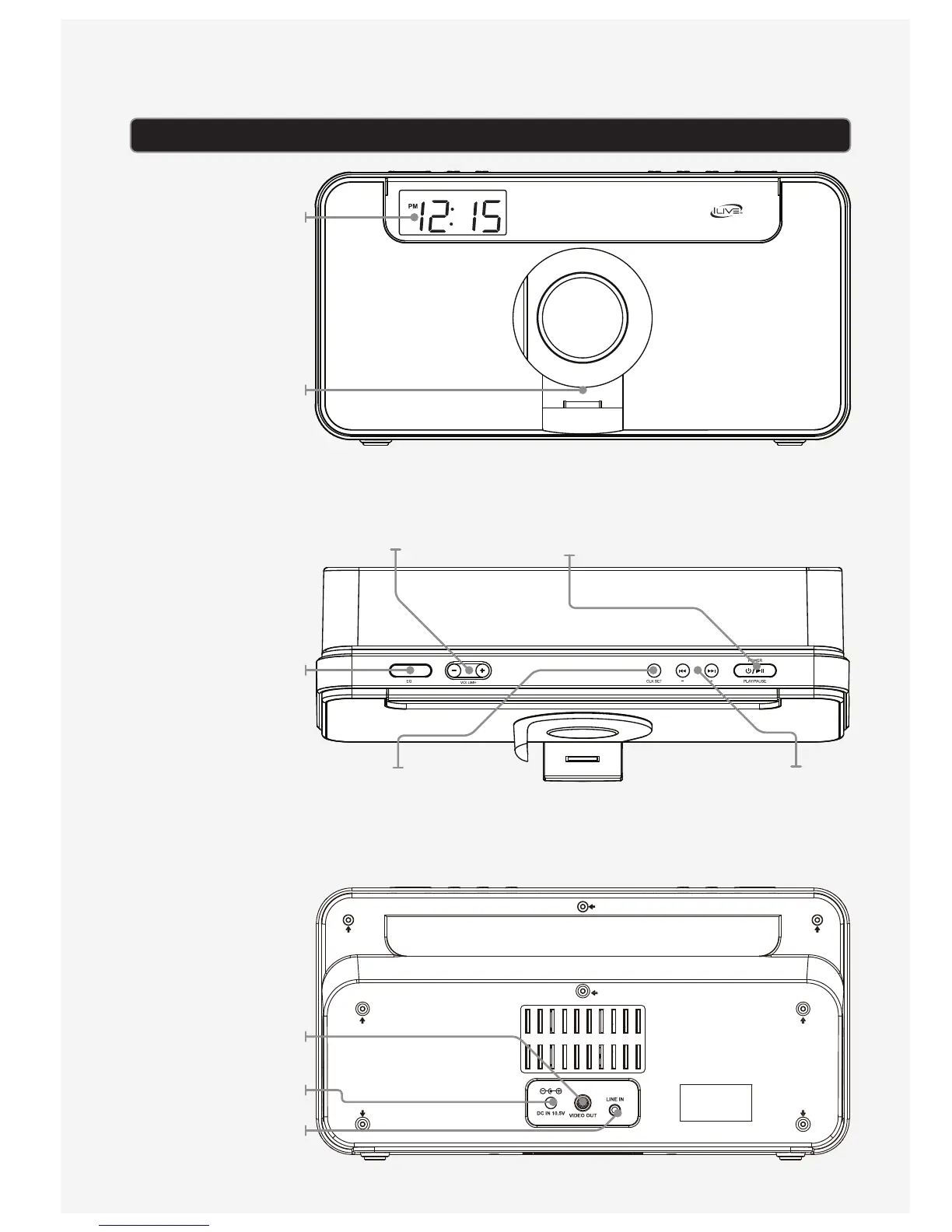
DISPLAY
ROTATING DOCK FOR
iPod and iPhone
EQ
Press to switch between
Rock, Classic, Jazz, and
Pop preset equalizer
modes.
COMPOSITE VIDEO
OUTPUT
DC POWER INPUT
3.5mm AUDIO INPUT
POWER/PLAY/PAUSE
Press to power on the speaker. Press and hold to
power o the speaker. When powered on, press to
play or pause a docked iPod or iPhone.
SKIP/SEARCH
Press to skip between tracks on a docked iPod
or iPhone. Press and hold to search through an
individual track. Press to adjust the time when
setting the clock.
CLK SET
With the power o,
press and hold to begin
setting the clock.
VOLUME
Press to adjust the
volume.



 To Next Page