6
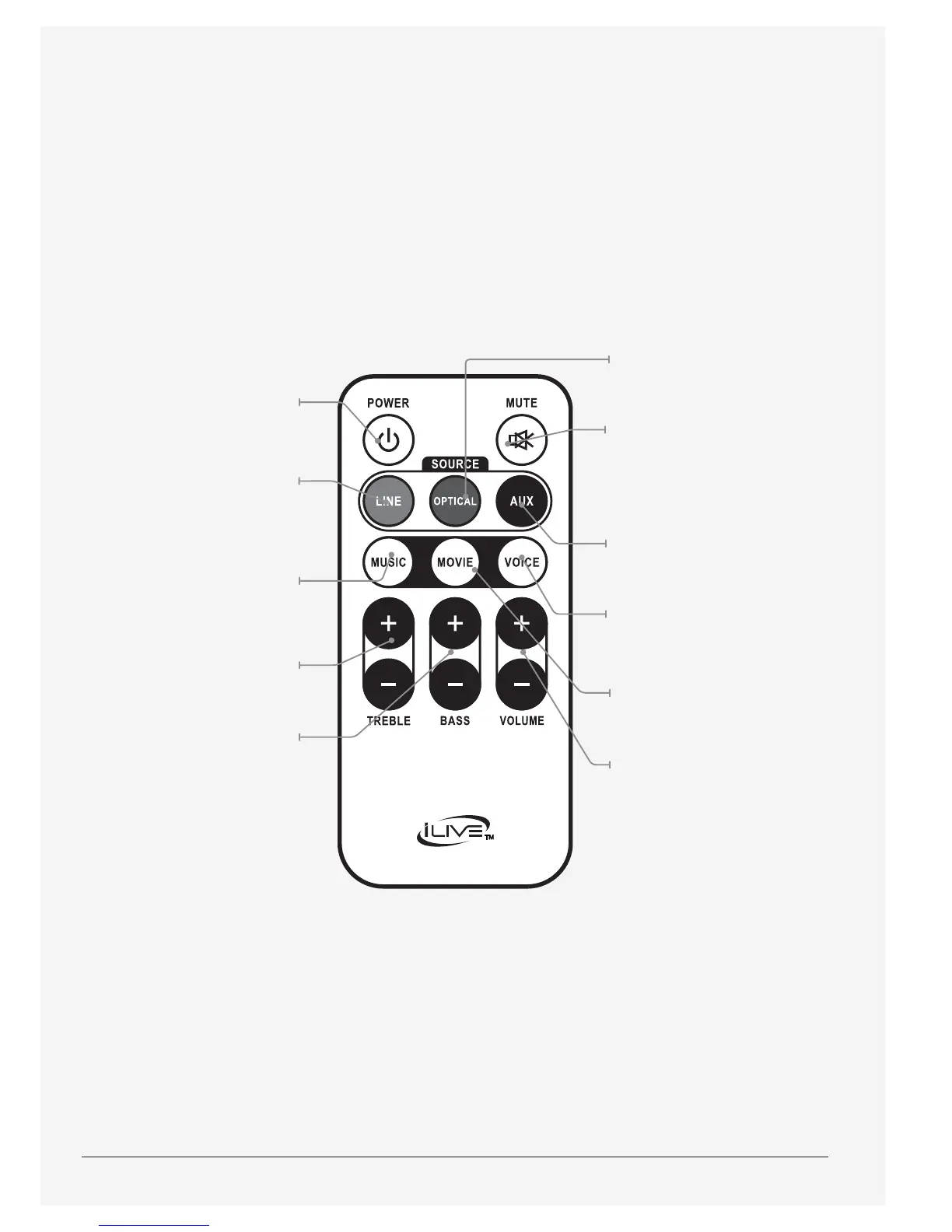
Optical
Press to switch to
Optical mode.
Mute
Press to mute the volume.
(The source indicator
will ash)
Aux
Press to switch to AUX mode.
Voice
Press to switch to the EQ
optimized for dialogue.
Movie
Press to switch to the EQ
optimized for movie sound.
Volume
Press to adjust the volume.
Power
Press to turn the
unit on or o.
Line
Press to switch to
Line In mode.
Music
Press to switch to the EQ
optimized for music.
Treble
Press to adjust the
treble up or down.
Bass
Press to adjust the
bass up or down


 To Next Page