5
Setup
Remote
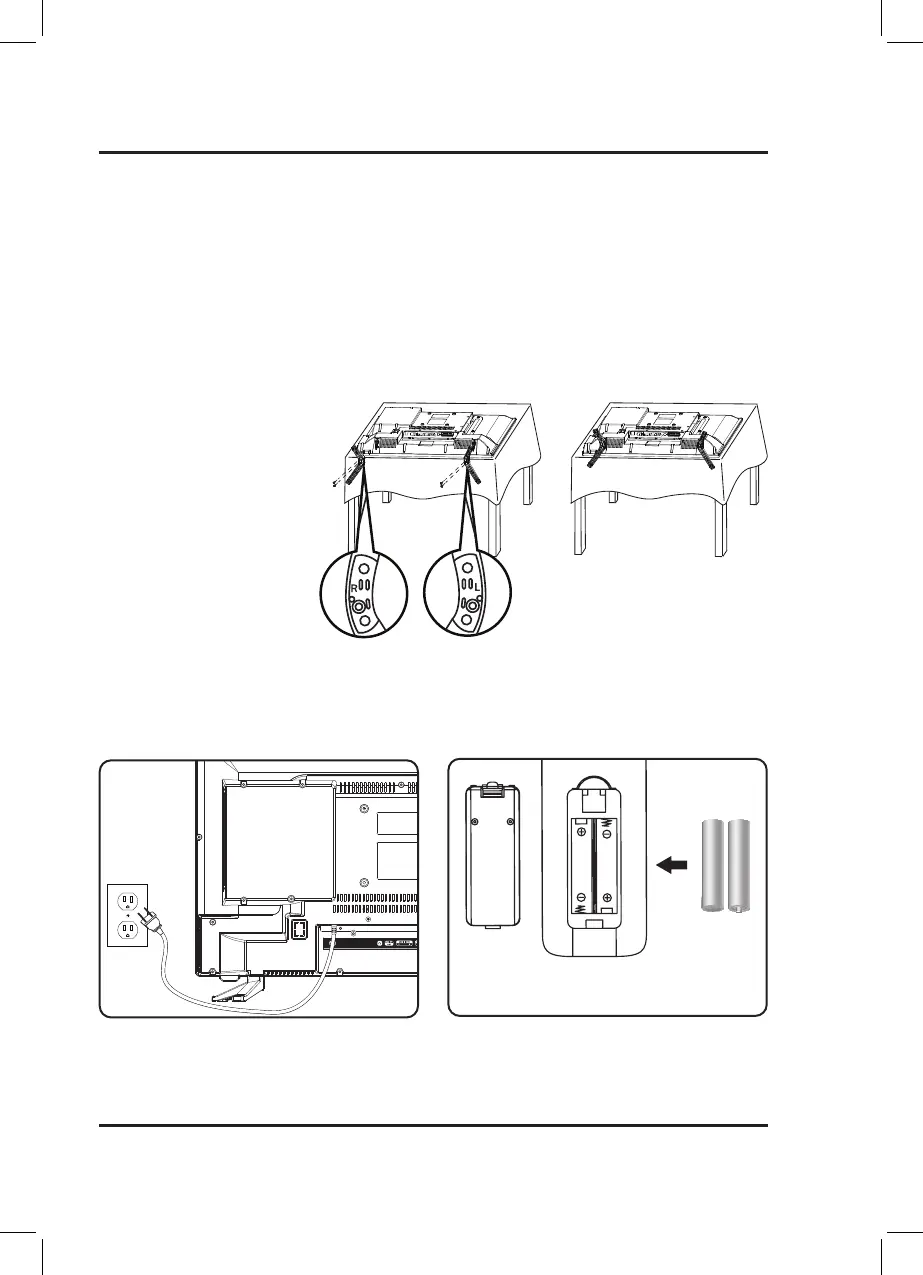
Requires 2 AAA-size batteries (included).
NOTE: Some pixels may be visible on the screen,
appearing as tiny red, green, blue or black spots. This
is normal and is not a defect on the TV, and does not
negatively affect the performance or picture quality.
Connecting the Stand
Take care not to place the TV on a
surface that will scratch or damage
the TV housing or screen. Using a
phillips-head screwdriver, tighten
the screws by hand. Using a power
drill could damage the TV stand.
Includes
• Removable stand
• Remote control with 2 AAA batteries
• Warranty
• User's Guide
Power
Plug the AC power cord into a standard power outlet.


 To Next Page