11
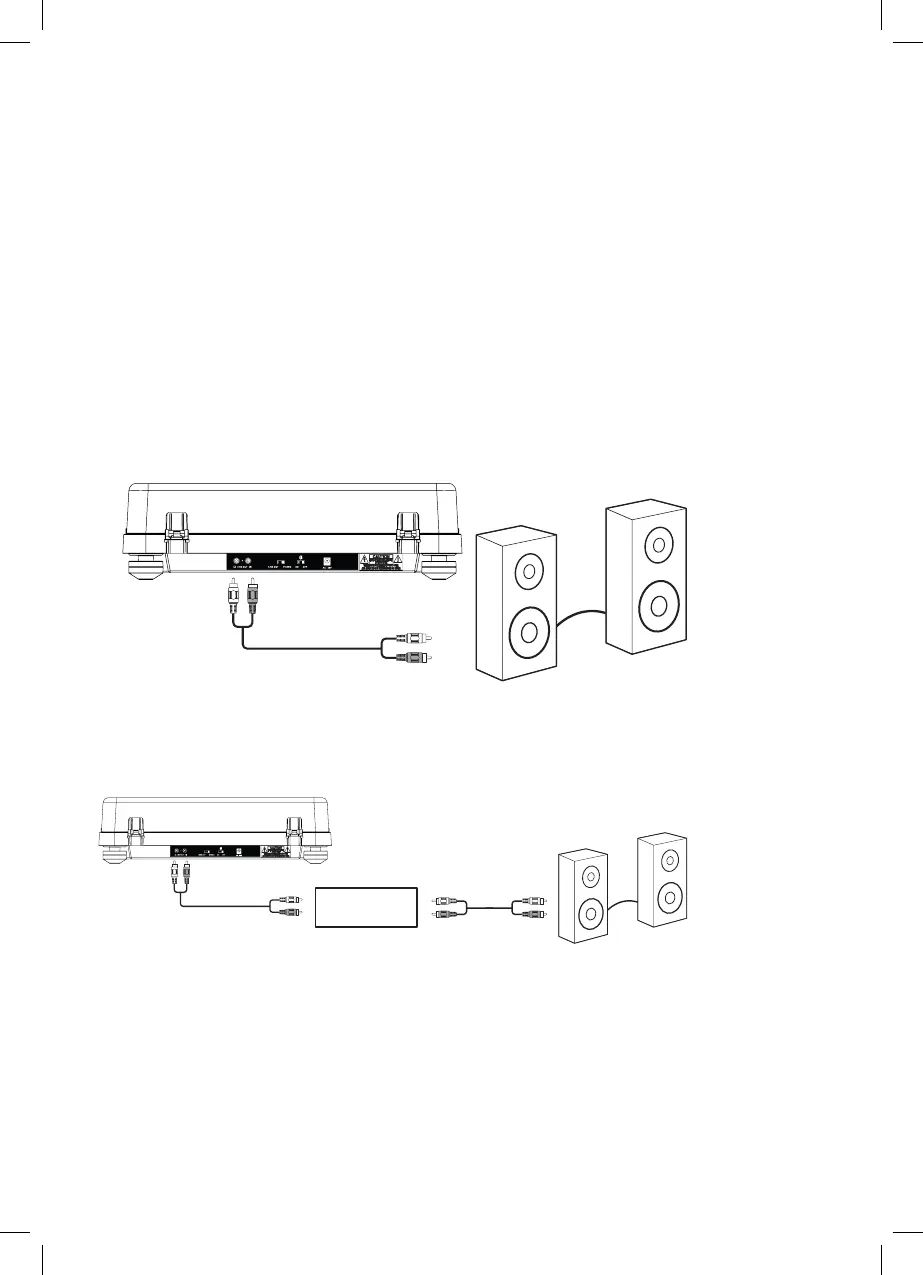
Connecting to External Speakers
Line Out
Phono
• Use an RCA audio cable to connect to a pair of external speakers. Connect the Line Out ports on the turntable to
the corresponding color-coded ports on the speakers.
• Set the selector switch on the back of the turntable to Line Out to send audio to the speakers.
• IMPORTANT! If you are connecting the turntable to speakers through a preamp, set the switch on the back of the
turntable to Phono. Improper selection of the switch will result in either no sound or explosive sound.
• Audio from the record will now be heard through the connected speakers. Use the volume control on the
speakers to adjust the audio level.
Speaker
Preamp


 To Next Page