EasyManua.ls Logo

Ilmvac LVS 101 Z - User Manual

Ilmvac LVS 101 Z
50 pages
Print Icon
To Next Page IconTo Next Page
Loading...
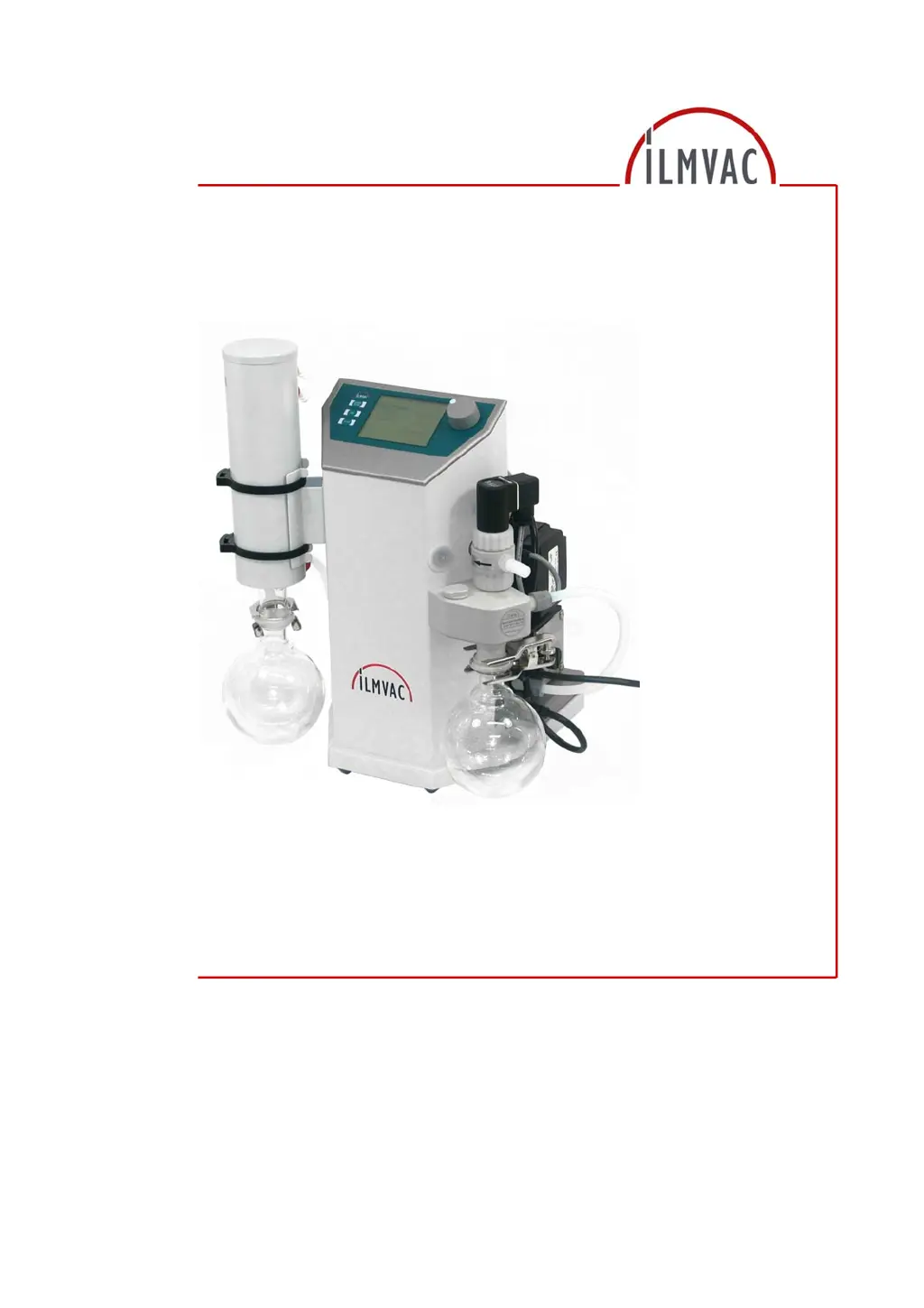
Operation Manual
Laboratory - Vacuum - Systems
Ultimate pressure 8 mbar
Types unregulated LVS 101 Z
regulated LVS 110 Z
115022
2010-09-01

Table of Contents

Questions and Answers

  • G
    Gabriella FosterAug 4, 2025
    Why Ilmvac LVS 101 Z Laboratory Equipment diaphragm pump doesn't generate vacuum?
    • M
      Mary WilliamsAug 4, 2025
      If your Ilmvac Laboratory Equipment diaphragm pump isn't creating a vacuum, there might be a few reasons. It could be due to leaks in the connected apparatus or connecting elements; in this case, identify and seal the leak, replacing seals and hoses if needed. The diaphragm pump itself may be leaking from pipes or hoses, so check hose connections and replace parts as necessary. Other potential causes include a defective pump head or diaphragm, dirty or defective valves (clean, repair, or replace as needed), or a dirty diaphragm pump (clean it).
  • A
    Alan ShawAug 11, 2025
    What to do if my Ilmvac Laboratory Equipment diaphragm pump doesn't start?
    • J
      jorgebeckerAug 11, 2025
      If your Ilmvac Laboratory Equipment diaphragm pump isn't starting, the issue could be due to a lack of power supply to the motor. In this case, have the electrical system checked by a qualified electrician. Alternatively, the motor itself might be defective, requiring replacement by a service shop, or the pump body could be defective, needing exchange or repair by a service shop.
  • J
    jlangAug 19, 2025
    How to fix missing control signal in Ilmvac Laboratory Equipment?
    • C
      Christopher AvilaSep 12, 2025
      If you're experiencing a missing control signal in your Ilmvac Laboratory Equipment, first check the input and correct it if necessary. If the issue persists, the controller might be defective; try switching the device off, and then on again after three seconds. If that doesn't work, consider replacing the controller.
  • M
    Matthew RomeroAug 26, 2025
    What to do if Ilmvac LVS 101 Z controller cannot be set or programmed?
    • T
      Tony JacksonAug 26, 2025
      If the Ilmvac Laboratory Equipment controller cannot be set or programmed, it might be due to defective electronics or display. In this case, get it repaired by an authorized service shop.

Summary

Important Information

Intended Use

Specifies the approved applications and conditions for operating the vacuum system.

Safety Devices

Lists measures implemented for the safety of operating personnel and the system.

Basic Safety Instructions

Electricity

Safety precautions related to electrical connections and power supply.

Mechanical Systems

Safety guidelines for operating mechanical components and handling glass vessels.

Hazardous Substances

Precautions for handling hazardous, combustible, explosive, aggressive, and poisonous substances.

Description

Design and Function

Details the components, configuration, and operational principles of the laboratory vacuum systems.

Technical Data

Device Data LVS

Lists technical specifications and parameters for the LVS 101 Z and LVS 110 Z models.

Assembly and Installation

Installation and Connection

Guides on setting up, connecting hoses, and connecting the system to power.

Operation

Operating modes of the Controller

Details the available operating modes: STOP, Manual, Automatic, and Ultimate pressure.

Calibrating the Pressure Sensor

Describes the procedure for two-point calibration of the pressure sensor.

Operation using the PC Program

Explains how to operate the vacuum controller using the ILMVAC-Control 521 PC software.

Maintenance and Servicing

Maintenance Performed by the User

Details maintenance tasks that can be performed by the user, including pump checks and diaphragm replacement.

Troubleshooting

Ilmvac LVS 101 Z Specifications

General IconGeneral
TypeRotary Vane Vacuum Pump
ModelLVS 101 Z
ManufacturerIlmvac
Gas BallastYes
CoolingAir-cooled
Operating Voltage230 V
Frequency50/60 Hz
Protection ClassIP 40
Inlet ConnectionG 1"
Outlet ConnectionG 1"