3.2 Care & maintenance
The product is designed to be maintenance-free. It does not require any regular maintenance.
3.3 After installation
Test the padlock functionality after installation to ensure that it does not prevent the lock application from
working properly.
4. Installation
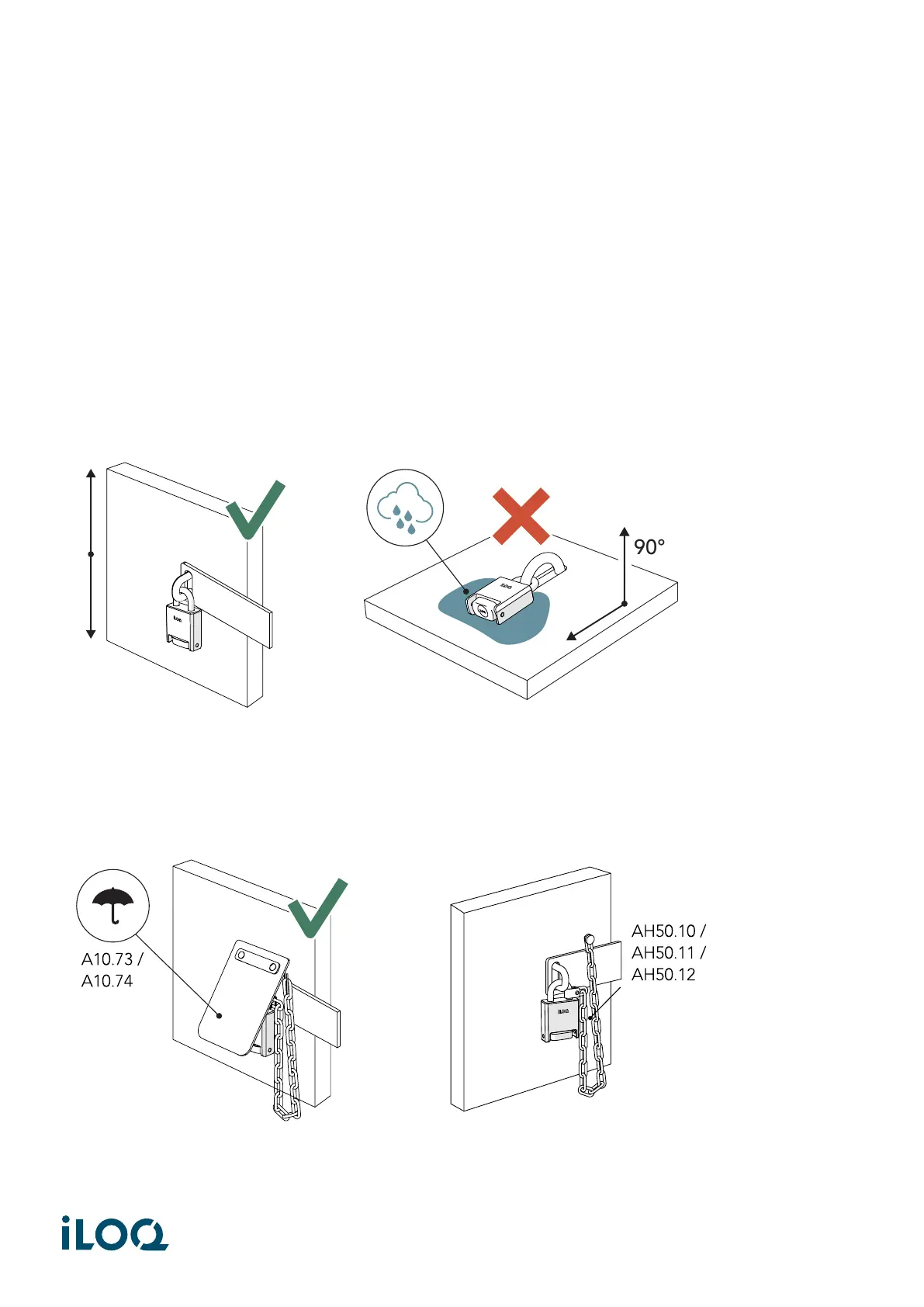
• Install the padlocks so that they hang freely and cannot be submerged in water.
• Use a rain cover (iLOQ A10.73 or A10.74) to ensure the longevity and functionality of the padlocks.
• An accessory chain (iLOQ AH50.10, AH50.11 or AH50.12) can be used to secure the padlocks to the
installation site.
4
Document ID - 189730
iLOQ S5/S10/S50 (iLOQ H5S, iLOQ H10S, iLOQ H50S)



 To Next Page