Need help?
Do you have a question about the Iluv iMM377 and is the answer not in the manual?
Identifies and describes controls on the top surface of the speaker dock, including power, Bluetooth, volume, and playback buttons.
Identifies and describes connection ports on the rear surface, including AUX IN and DC power jack.
Step-by-step guide on how to charge your smartphone using the speaker dock's USB socket.
Detailed instructions for pairing and operating the speaker via Bluetooth with a smartphone for music playback.
Explains how to use the speaker's hands-free calling feature, including answering and disconnecting calls.
Guide on connecting external audio devices via the 3.5mm AUX IN port for playback through the speaker.
The iMM377/iMM378/iSM378 is a versatile wireless stereo speaker dock designed specifically for smartphones, offering a range of features for audio playback, hands-free communication, and smartphone charging. This device serves as a central hub for your smartphone's audio needs, providing enhanced sound quality and convenient interaction.
At its core, the iMM377/iMM378/iSM378 functions as a Bluetooth speaker, allowing wireless audio streaming from your smartphone. It's designed to amplify your smartphone's audio, delivering a richer and more immersive listening experience than the phone's built-in speakers. Beyond simple audio playback, the device integrates a hands-free calling feature, enabling you to answer and manage phone calls directly through the speaker system. This is particularly useful for conference calls or when you need to keep your hands free while talking.
A key utility of this speaker dock is its ability to charge your smartphone. Equipped with a USB socket, it provides a convenient charging point, ensuring your phone stays powered while docked or connected. This eliminates the need for a separate charger, streamlining your setup. The device also includes an AUX-IN port, expanding its compatibility to non-Bluetooth devices. This allows you to connect MP3 players, MP4 players, or any audio source with a 3.5mm audio jack, effectively turning the speaker dock into a universal sound system for various devices.
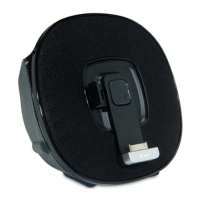
The design incorporates a dedicated arm holder for your smartphone, ensuring it is securely positioned while docked. This holder is not just for stability; it's an integral part of the device's functionality, allowing for optimal placement of your phone for both charging and viewing. The overall design prioritizes ease of use and integration with your smartphone, making it a practical accessory for both home and office environments.
Operating the iMM377/iMM378/iSM378 is straightforward, with clearly labeled controls for various functions. The top side of the unit features a comprehensive set of buttons for power, Bluetooth connectivity, volume adjustment, skip functions, and play/pause. These tactile controls provide direct access to the most frequently used features, allowing for quick and intuitive operation without needing to constantly interact with your smartphone.
To begin using the device, simply press the POWER button to turn it on. For wireless audio, the Bluetooth connection process is initiated by pressing the BLUETOOTH button. The CONNECT indicator will flash, signaling that the device is in pairing mode. You can then use your smartphone to search for the Bluetooth name "F-3088" and connect. Once paired, you can select music files on your smartphone and control playback directly from the speaker dock using the PLAY/PAUSE and SKIP NEXT/PREVIOUS buttons. Volume adjustments are made via the dedicated VOLUME control buttons.
The hands-free calling feature is activated when an incoming call rings on your connected smartphone. A single press of the HAND FREE button allows you to answer the call, and another press disconnects it. If music was playing before the call, it will automatically resume after the call ends, providing a seamless user experience.
For charging your smartphone, the USB socket is designed for flexibility. You can move the USB socket left or right and rotate its angle to match your smartphone's port, ensuring a secure connection. Once connected, your smartphone will begin charging automatically.
The arm holder for your smartphone is a notable usage feature. It can be lifted up automatically by pressing and holding a specific button, providing easy access for docking your phone. When you're done, the arm holder can be manually lifted down to secure your device. This adjustable holder accommodates various smartphone sizes and ensures your device is held firmly in place.
For non-Bluetooth devices, the AUX-IN port offers an alternative connection method. By plugging a 3.5mm audio cable (not included) from your external device's headphone jack or line-out port to the AUX-IN port on the rear of the speaker dock, you can broadcast audio through the speaker. Ensure both the speaker dock and your external device are turned on, and then start playing music on your device. Volume can be controlled using the speaker dock's VOLUME buttons.
While the manual doesn't explicitly detail extensive maintenance procedures, the design and operational guidelines suggest a focus on user convenience and device longevity. The FCC compliance notes, for instance, highlight the importance of proper operation to avoid interference, which indirectly contributes to the device's reliable performance over time.
Keeping the device clean and free from dust is a general maintenance practice that would apply to any electronic speaker. Regular, gentle cleaning of the exterior surfaces, including the buttons and the arm holder mechanism, would help maintain its aesthetic and functional integrity. Care should be taken to avoid liquid spills, especially around the ports and control buttons, to prevent internal damage.
The flexibility of the USB charging socket and the robust design of the arm holder suggest that these components are built for repeated use. However, gentle handling when adjusting the USB socket and the arm holder would help prevent wear and tear. Ensuring that the smartphone is correctly seated in the holder and that the USB cable is connected without excessive force will prolong the life of these critical components.
The device's compliance with FCC rules regarding interference implies that it is designed to operate reliably within standard electromagnetic environments. Users are advised against unauthorized modifications, as these could void the warranty and potentially cause operational issues. This emphasizes the importance of using the device as intended by the manufacturer to ensure its continued performance and safety.
In summary, the iMM377/iMM378/iSM378 is a user-friendly and multi-functional wireless stereo speaker dock that enhances the smartphone experience through superior audio, hands-free communication, and integrated charging capabilities. Its intuitive controls and adaptable design make it a practical and convenient accessory for any smartphone user.
 General
| RMS rated power | - W |
|---|---|
| Audio output channels | 2.0 channels |
| Bluetooth | Yes |
| Headphone connectivity | - |
| Compatibility | Samsung Galaxy SII, SIII, Note |
| Apple docking compatibility | Not supported |
| Product color | Black |
| Volume control | Digital |
| Power source type | AC |

 To Next Page