3
FCC NOTE:
This device complies with Part 15 of the FCC Rules. Operation is subject to the follow:-
1) This device may not cause harmful interference, and
2) This device must accept any including interference that may cause undesired
operation.
The manufacturer is not responsible for any radio or TV interference caused by uncouth.
Such modifications could void the user's authority to operate the equipment.
BATTERY CHARGE
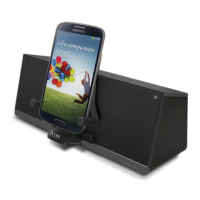
This Bluetooth Speaker can charge your Smartphone battery by USB socket follow below
step:
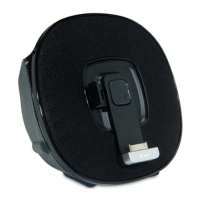
1. Move USB socket of unit to left or right and rotate the angle to match your Smartphone.
2. Carefully connect USB to your Smartphone USB socket.
3. After connected, your Smartphone battery will charge automatically.
OPERATION (BLUETOOTH CONNECT)
You can connect your Bluetooth Speaker and Smartphone by Bluetooth.
1. Press the POWER button to turn on your Bluetooth Speaker.
2. Press BLUETOOTH button of your Bluetooth Speaker and the CONNECT indicator
will flash.
3. Use your Smartphone to search name of Bluetooth (F-3088)
a) If your mobile cannot search the name, press the CONNECT button again.
4. After search the name, press icon (F-3088) of mobile to enter.
5. To choose ALWAYS CONNECT or YES and press to confirm.
6. Select music file from your Smartphone.
7. Press the PLAY/PAUSE button of main unit to start playing.
8. In music playing, press the PLAY/PAUSE button to pause playing and press again to
resume.
9. Press SKIP NEXT / SKIP PREVIOUS button to select next or previous file playing.
10. Press
VOLUME
buttons to adjust the volume sound of Bluetooth Speaker.


 To Next Page