scientists and engineers dedicated to continually improving our wake word detection
technology and preventing false wakes from happening, including through the cloud
verification mechanism described in the FAQ "How does Alexa minimize the amount of data
sent to the cloud?"
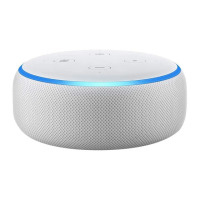
Anytime your Echo device detects the wake word, a visual or audible indicator will signal it is
recording audio to stream to the cloud, and you can review and delete the voice recordings
associated with your account (including any audio resulting from a false wake) in your Voice
History available in the Alexa app at Settings > Alexa
Privacy or https://www.amazon.com/alexaprivacysettings.
Can I review and delete my voice recordings?
Yes. You can review voice recordings associated with your account and delete the voice
recordings one by one, by date range, by Alexa-enabled device, or all at once by
visiting Settings > Alexa Privacy in the Alexa app
or https://www.amazon.com/alexaprivacysettings. From either page, you can also choose to
have your voice recordings older than 3 or 18 months deleted automatically, or you can
choose to not save any voice recordings. If you choose not to save any voice recordings, we
will automatically delete your voice recordings after we process your requests and
automatically delete all of the voice recordings currently in your Voice History as well. And
you can delete all those voice recordings associated with your account all at once for each of
your Alexa-enabled devices and apps by visiting Manage Your Content and Devices.
You can also enable the ability to delete your recordings by voice. Once enabled, you can
delete the voice recording of your last request by saying “Alexa, delete what I just said,” or
delete the voice recordings from your account for the day by saying "Alexa, delete
everything I said today." To enable deletion by voice go to Settings > Alexa
Privacy > Manage Your Alexa Data in the Alexa app
or https://www.amazon.com/alexaprivacysettings. When enabled, anyone with access to
your Alexa-enabled devices can ask Alexa to delete voice recordings from your account.
Deleting voice recordings may degrade your Alexa experience. If you choose not to save
any voice recordings, automatic voice recognition and voice profiles may not work.
If you have changed your default marketplace while using an Alexa-enabled product, you will
need to delete all voice recordings associated with your account separately for each
marketplace. To learn how to transfer your Amazon account to another marketplace,
go here.
What happens when I delete my voice recordings?
When you delete voice, recordings associated with your account from Voice History, we will
delete the voice recordings that you selected and the text transcripts of those recordings


 To Next Page
 Loading...