EasyManua.ls Logo

IMG STAGE LINE TWIST-5LED - User Manual

IMG STAGE LINE TWIST-5LED
24 pages
Print Icon
To Next Page IconTo Next Page
Loading...
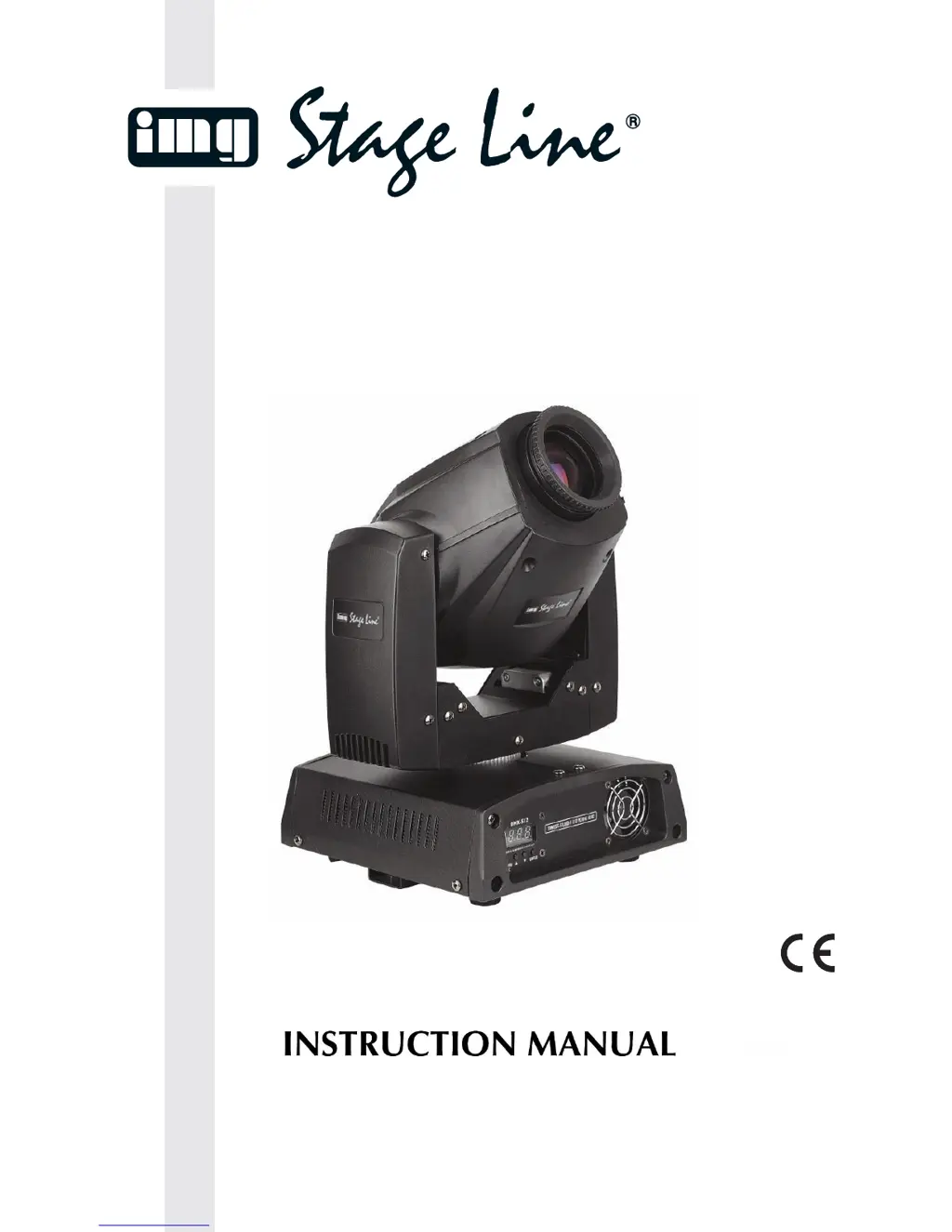
TWIST-5LED
Best.-Nr. 38.5980
LED MOVING HEAD
LYRE À LED
MOVING-HEAD A LED
BEDIENUNGSANLEITUNG • INSTRUCTION MANUAL • ISTRUZIONI PER L’USO
VEILIGHEIDSVOORSCHRIFTEN • SIKKERHEDSOPLYSNINGER
SÄKERHETSFÖRESKRIFTER • TURVALLISUUDESTA

Questions and Answers

Summary

WARNING

Unpacking Instructions

Steps to unpack and check the product upon receipt.

Safety Instructions

Essential safety guidelines for device operation and maintenance.

IMPORTANT: General Safety and Operational Guidelines

General Safety Precautions

Crucial operational and safety guidelines to prevent damage and hazards.

Eyedamages Caution

Warning about direct exposure to the light source.

OPERATING DETERMINATIONS

Rigging Guidelines

Guidelines for safe installation and mounting of the projector.

Mounting Procedure

Steps for mounting the projector using clamps and safety cables.

Connection with the Mains

Wiring Guidelines

Instructions for connecting the device to the mains power supply safely.

Description of the Device

Key Features

Key technical specifications and capabilities of the TWIST-5LED.

Component Overview

Visual identification of key components like lens and control panel.

Backside and Initial Setup

Installation Steps

Steps for setting up the device after unpacking.

Set Up and Operation

Initial steps for powering and operating the device.

Control Modes

Single Unit Modes

Operating modes for a single unit: built-in programs or sound-control.

Multiple Units (Master;Slave)

Synchronizing multiple units using master/slave configuration.

Multiple Units (DMX Control)

XLR Connection and Controller Details

Pin assignments for DMX XLR connections and controller transformation.

DMX Setup Procedure

Diagram and steps for setting up multiple units via DMX.

Fixture Linking

DMX Data Link Limitations

Critical information on DMX data link capacity and distance.

Control Panel

Control Mode Functionality

How fixtures respond to DMX signals from the controller.

DMX Addressing Procedure

Assigning unique DMX addresses to fixtures for control.

Controlling and Troubleshooting Notes

Notes on operating fixtures and common DMX issues.

Menu Overview

DMX Address Setting

Navigating the menu to set the DMX address.

Mode Selection

Options for selecting operating modes like programs, pan/tilt, display.

Reset and Default Settings

Procedures for resetting the device or loading factory defaults.

Main Menu Options

DMX Addressing Steps

Steps to set the DMX address via the control panel.

Mode Selection Overview

Overview of available modes like programs, pan/tilt, display.

Built-In Programs Mode

Built-in Program Modes (Slow;Fast)

Activating and using the slow and fast built-in program modes.

Sound-controlled and Slave Modes

Enabling and using sound-controlled and slave operation.

Pan & Tilt Movement Modes

Controlling pan/tilt functions and their reverse options.

Display and Channel Modes

Options for display reversal and switching between 13/8 DMX channels.

Pan Range Settings

Setting the pan range to 540°, 360°, or 180°.

Tilt Mode and Service Functions

Tilt Range Settings

Setting the tilt range to 270°, 180°, or 90°.

Reset and Default Settings

Procedures for resetting the device or loading factory defaults.

Service Functions and Password

Accessing advanced service functions and password procedures.

DMX Protocol 13 Channels (13 CH)

Pan & Tilt Control

Control of horizontal and vertical movement, and fine adjustments.

Speed, Colorwheel, Shutter;Strobe

Controls for movement speed, color, and shutter/strobe effects.

Dimmer and Gobo Control

Controls for brightness, gobo selection, and shake effects.

DMX Protocol 8 Channels (8 CH)

Pan & Tilt Control

Control of horizontal and vertical movement.

Colorwheel, Shutter;Strobe

Controls for color selection and shutter/strobe effects.

Dimmer and Gobo Control

Controls for brightness, gobo selection, and shake effects.

Channel Settings

Gobo Rotation and Prism

Controls for gobo rotation and prism effects.

Channel Functions

Various functions like blackout, resets, and no function assignments.

Built-in Programs Control

Control of built-in and sound-activated programs.

Maintenance

Safety Inspections

Requirements for annual safety and technical inspections.

Cleaning Procedures

Guidelines for cleaning the fixture's exterior and internal parts.

Connection Maintenance

Maintaining clean DMX and audio connections.

Replacing a Fuse

Fuse Replacement Procedure

Step-by-step guide to replacing a blown fuse.

Troubleshooting

No Light or Movement Issues

Troubleshooting steps for when the fixture is not operating.

DMX Communication Issues

Steps to diagnose and resolve DMX communication problems.

Troubleshooting Common Problems

Fixtures Not Powering On

Troubleshooting for fixtures that are not powering on.

Controller Response Issues

Diagnosing issues with controller communication and erratic responses.

Light and Lamp Issues

Resolving problems with no light emission or intermittent lamp operation.

Product Specifications

General and Operation Specs

Key parameters like voltage, power, dimensions, weight, and programming.

Electro-mechanical Effects

Features related to movement, color, gobos, prism, and cooling.

Minimum Clearance Requirements

Required clearances for safe operation from surfaces and objects.

IMG STAGE LINE TWIST-5LED Specifications

General IconGeneral
BrandIMG STAGE LINE
ModelTWIST-5LED
CategoryLight Fixture
LanguageEnglish