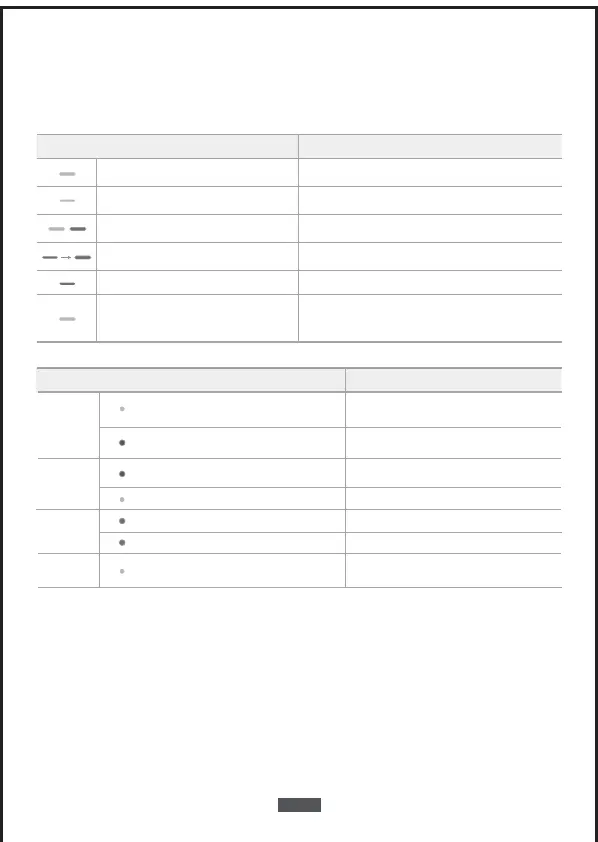
Explanations for LEDS
Hub LED Status
Blinking blue
Blue and orange
flashes alternately
Solid blue
Waiting for connection
Network connection is successful / connected
Network connection is failure
Status
Solid orange A firmware update is in progress
Press and hold the button
for 10 seconds, until the
LED blinks blue
During the reset process, the hub will restart
Blinking orange Waiting for doorbell to connect
Power
on/o
You will hear the power-on music
you will hear the power-o music
Press and hold the sync button for 2 seconds
until the blue light becomes to solid
Press and hold the sync button for 8 seconds
until the LED blinks green
Use USB to charge the
doorbell
Solid green
Charging
continuous blinking green
Fully charged
Doorbell
charging
Video Doorbell LED Status Status
Orange blinks once
PIR detects motion
PIR continues to detect motionOrange blinks continuously
PIR
detection
sensitivity
adjustment
Press the doorbell button, then doorbell
indicator light will blink blue
Both the outdoor doorbell
and the indoor hub will ring
Doorbell
function
EN-08


 To Next Page