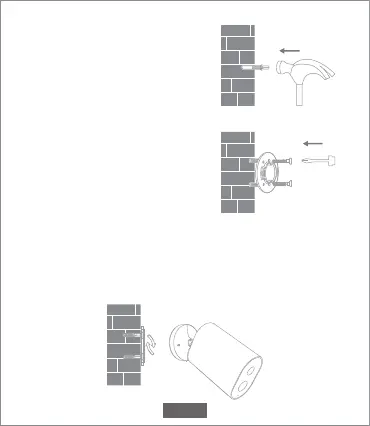
2. Insert the two anchors in the
holes on the wall.
3. Make sure to position the gasket
and then secure it in place by
tightening the screws into the
plastic anchors.
4. Match the grooves on the bottom of the camera with the
raised area on the gasket. Press down until the two surfaces
are flush, then turn the camera in either direction to lock it in
position.
EN-04



 To Next Page