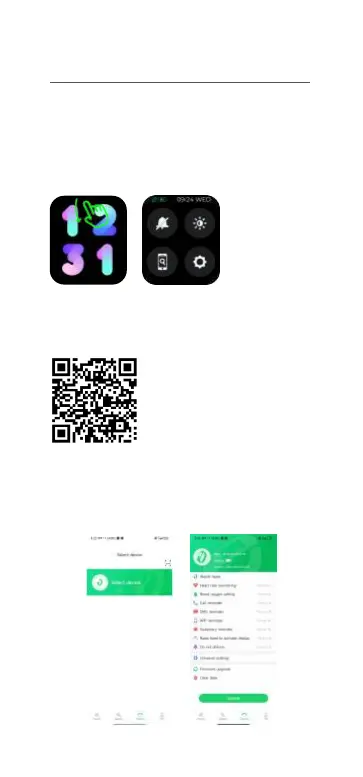
1. Long press power button to power on, scroll
down on watch face, click“Settings —— About
—— Download QR code”, use your mobile
phone to scan QR code to download and install
“Gloryfit”APP .
You can also Scan below “Glortyfit” QR code to
download and install“Gloryfit” APP.
2. Open “Gloryfit” and select "Add Device" on
the device page, then follow the instructions on
the screen.
02 How to download & connect to APP
IMISW01


 To Next Page