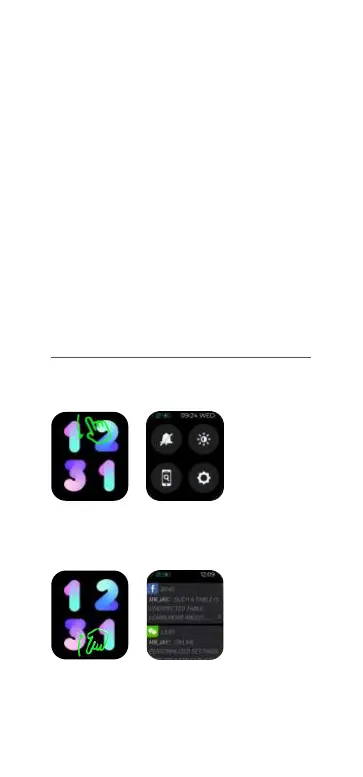
a. Shortcut page: Slide down from main page,
go to shortcut page.
b. SMS push: Scroll up from main page, you will
see messages received.
Note:
1. During pairing process, please make sure
phone bluetooth is turned on, make sure watch
is connected to phone correctly through
bluetooth.
2. If the device can not be searched or are not
able to connected during use, please long press
power button for three seconds to power off,
and then power on again, or go to settings on
the watch to select “factory reset”, then add
new device again from your phone.
03 Operating Instructions


 To Next Page