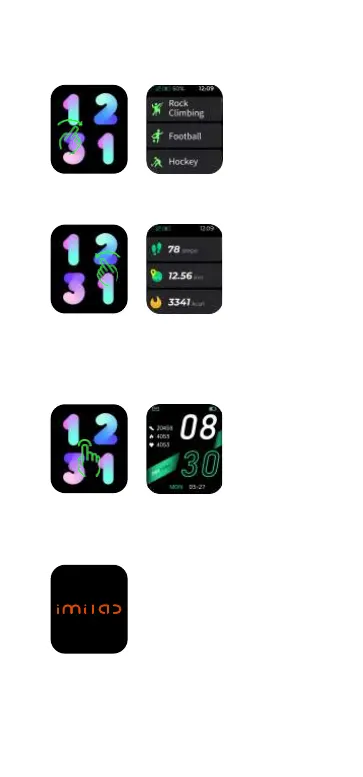
c. Main menu: Swipe right from main page.
d. Shortcut page: Swipe left from main page.
e. Quick access to change watch faces: Long
press the watch face for 3 seconds on main
page, slide left or right to choose watch faces.
f. Power on/off: press and hold the side button
for 3 seconds on the dial interface.
g. Normal operation, press the side button to
return back to previous page; On main page,
press the side button to turn on/off the screen.


 To Next Page