Notes:
1.1 The Company resees the right to modify the contents of the
manual without prior notice. In general, the functions may va in some
versions of the software.
1.2 Before using the product, please use the included charging cable to
charge this product for not less than 2 hours.
1.3 Before using the product, please connect with your mobile app to
synchronize the time and set your personal information.
1.4 The product is IP68 waterproof, but please keep away from deep sea
diving, hot water, tea or other corrosive liquids, otherwise it may cause
damage to the watch. Any problems caused by these factors will not be
covered by the product warranty and free repair seice.
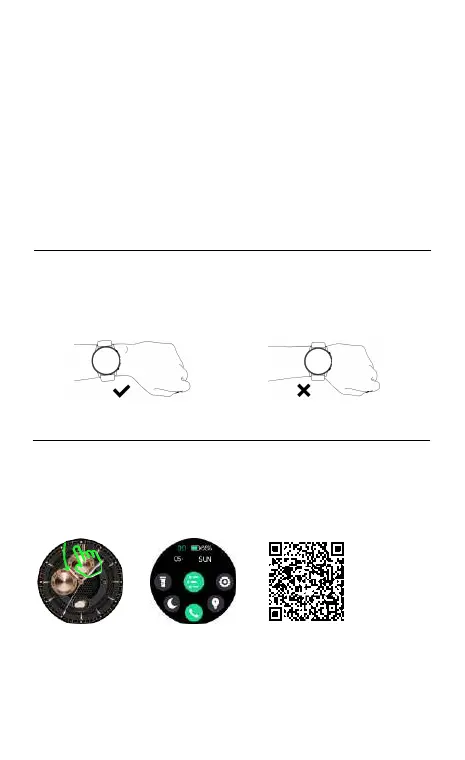
01 How to wear
For daily use, wear the watch at about one-nger distance from
your wrist bone and comfoably tighten the strap.
Note: Excessively loose wear may aect the data capture of the
hea rate sensor.
02 How to download & connect to APP
02.1 Press and hold the side button to power on the watch, slide down
the watch home page from the top, open Settings - APP Download -
Download QR Code, scan the QR code with your mobile phone,
download and install "Imilab Fit" APP.Or you can scan the QR code below
to download from the mobile app market for installation.
02.2 Open the "Imilab Fit" App, select "Add Device" on the Devices page,
and then follow the on-screen instructions.
21
02.3 How to make Bluetooth calls
(1) Android mobile: When the APP is successfully bound to the watch
and the data is synchronized, it will automatically prompt whether to
pair with IMISW13 (ID-xxxx), Then it can be paired directly.
(2) The iOS mobile (iOS 13 or above) suppos one-key connection
prompt. When the APP is successfully bound to the watch and the data
is synchronized, it will automatically prompt IMISW13 (ID-xxxx) would
like to piar with your iPhone, Then it can be paired directly.
(3) For some iOS and Android mobile phone: When the APP is
successfully bound to the watch, in order to use the Phone function, you
need to manually enter the phone Settings - Bluetooth - search audio
Bluetooth IMISW13 (ID-xxxx). Click to pair the audio Bluetooth IMISW13
(ID-xxxx) , the Phone function can only be used normally after
successful pairing.
Tips:
(1). Please upgrade the app to latest version to get a better experience.
(2). Andorid 5.0 and IOS 9.0 or above system are compatible with the
App.
(3). For the rst time connection with iphone, “Pair” reminder will
pop-up, click to pair, then incoming calls and instant messages will be
pushed.
(4). For the rst time connection with android, “Permissions” reminder
will pop-up, please follow up the guidance and allow permissions to
ensure all functions working properly.
(5). To connect successfully, please turn on mobile phone’s bluetooth,
GPS and network.
(6). If the device cannot be searched or connected during use, please
reset or turn o the watch to t again.
03 Operating Instructions
a. Control panel: Slide the Home screen from the top to down.
b. Message: Slide the Home screen from the bottom to the top.
c. Main Menu Page: Slide right from the main page. You can change the
menu styles by double click on upper button or change on setting page.
d. Open shocut inteace: Slide the Home screen from right to left.
e. You can switch the watch face by rotating the digital crown in the
Home screen.
f. Power on/o: Press and hold the digital crown button for 3 seconds on
the watch screen.
g. During normal operation: Press the digital crown to return to the
upper level function inteace; when in the watch face screen, press the
digital crown again to light up/o the screen.
h.Rota crown function: The list theme can be scrolled up and down by
rotating the crown, and the Home screen can be scrolled left and right
by rotating the crown.
i. Press the down button to enter the spos list.
04 Function introduction
.


 To Next Page
 Loading...