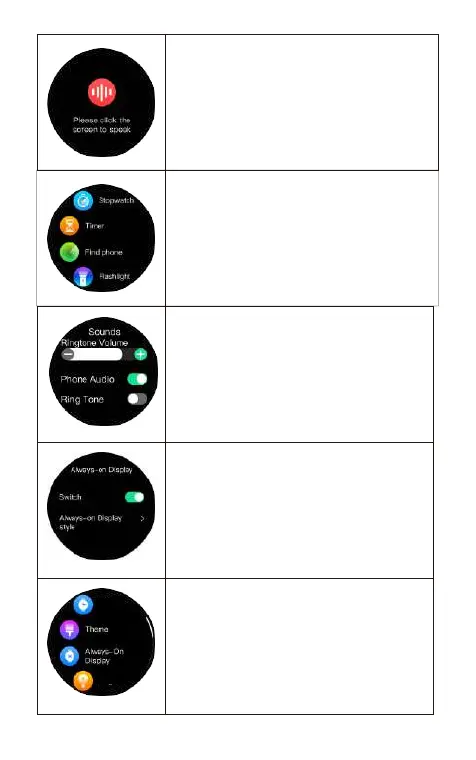
Voice assistant: Double-click the down button
to enter the voice assistant, double click the
voice assistant to wake up the phone function.
(Note: The watch needs to be connected to the
mobile phone via Bluetooth before it can be
used.)
Other functions: Stopwatch/ Flashlight/Tim-
er/Find phone.
testing
Sound setting: Turn on/o enteainment
sound: play music/ watch videos from wechat
moments, watch TV/movies etc, control the
watch play sound.(The main control is the
third-pay playback sound)Ringtone for
incoming calls: control whether the sound of
the watch is on or o.
Always-on Display:When always-on screen
mode is on, always show a clock when your
watch isn't in use. ( Power consumption will be
increased)
Settings: Watch face/Theme/Always-On
Display/Brightness/Screen Time/Sounds/
Info/O/Reset/QR Code/Password
Brirhtness
Watch face


 To Next Page