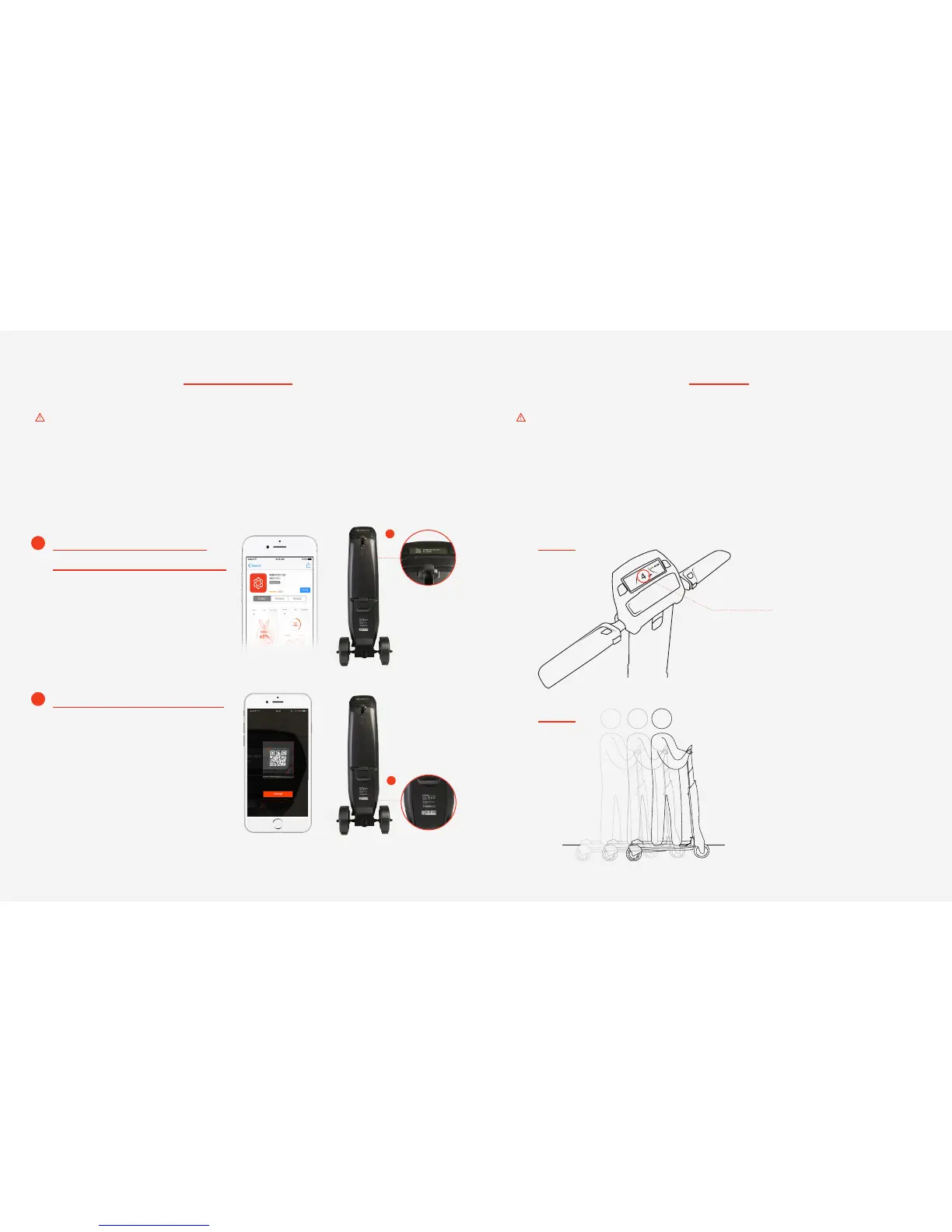
1) Scan the QR Code on the LCD Display
or go to App store and download the
Immotor APP.
2) Open the APP and create an account.
Download the Immotor APP and
experience all the features of the GO!
Use the QR Scanner in the APP to
scan the QR code by the rear wheels to
pair with your GO
Pair your device with your GO easily!
Before your first ride Speed limit
There are safety risks when learning to ride the Immotor GO. You must read the Instructions and
follow the User Tutorial in the Immotor GO App before your rst ride. Use your mobile device
(Android or iOS) to download the Immotor GO App, and be sure to follow the instructions before use.
·QUICK START GUIDE FILE AND GERMAN, FRENCH, AND SPANISH TRANSLATIONS ARE AVAILABLE
ONLINE AT WWW.IMMOTOR.COM.
You must rst download the Immotor GO App on your mobile device. The App will lead you
through the New Rider Tutorial. For your safety, the Immotor GO will limit the maximum speed
to 4 mph (6 km/h) for the rst 0.6 mile (~1km) until you have completed the New Rider Tutorial.
After completing the New Rider Tutorial, the max speed will be limited to 13 mph (20 km/h) in
mode 2, with the ability to activate Sport Mode in the App and reach a maximum speed of 16
mph (25 km/h).
After the rider has ridden 0.6
mile (1 km), mode 2 will be
unlocked and accessible.
Limited in mode 1 to 4 mph
(6 km/h) for the rst 0.6 miles
(1 km).
B
A
A
B
MODE 1
MODE 2


 To Next Page