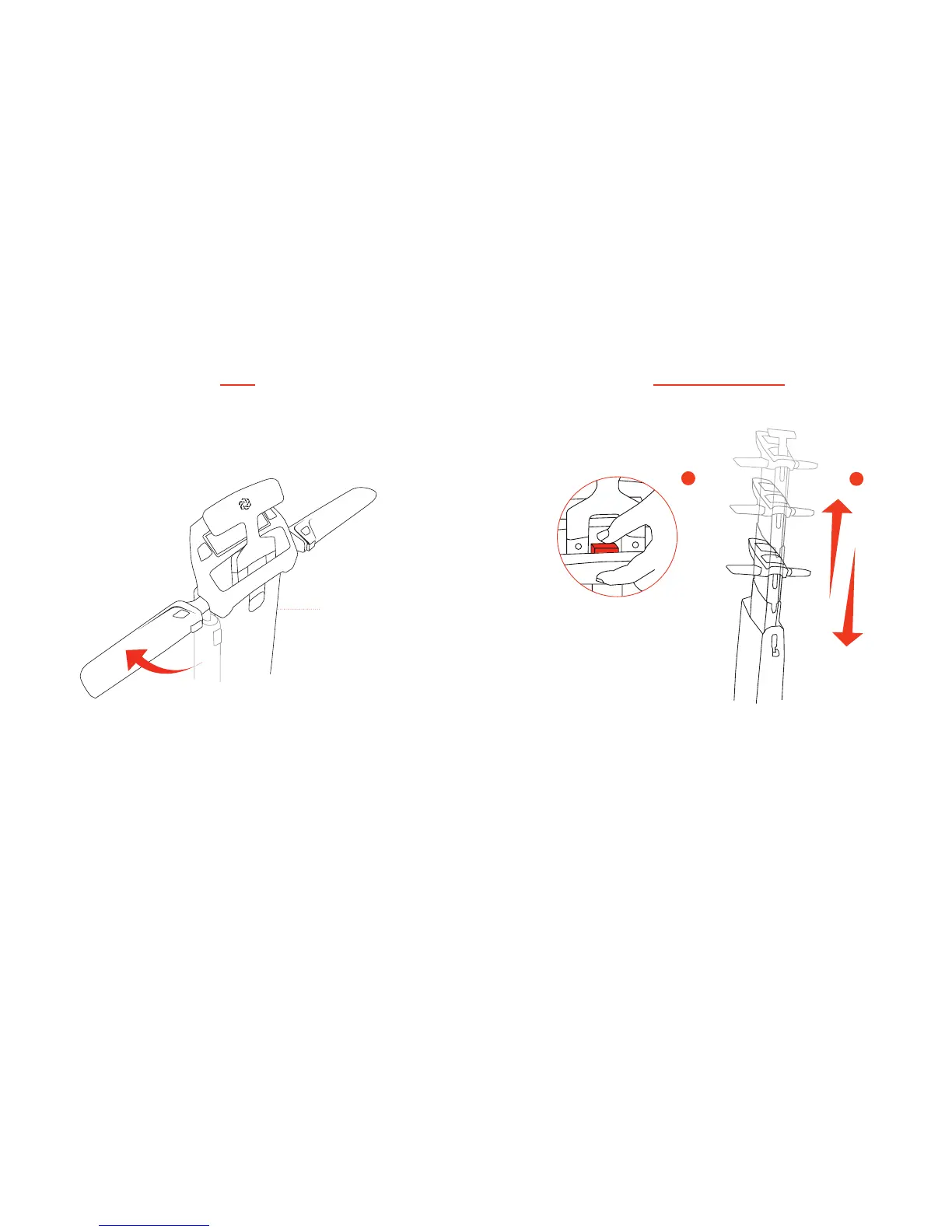
• Once stem is locked into an “up” position, lift up
the handle bars (both sides) into horizontal position.
STEP 4
Stem
1) Once handle bars are locked into their
horizontal position, you may select one of 3 preset handle bar/
stem heights by pressing the red button and sliding the stem up
or down until it locks at desired height.
2) Stow the “T” handle by pushing it down
into its slot.
Select Handle Bar Height
1
2


 To Next Page