5
panel facing down.
3. Pull lower half of back cover with your
thumb or fingers. Remove it from the
opening.
The SIM Card contains your phone
number, service details and the phone-
book/message memory.
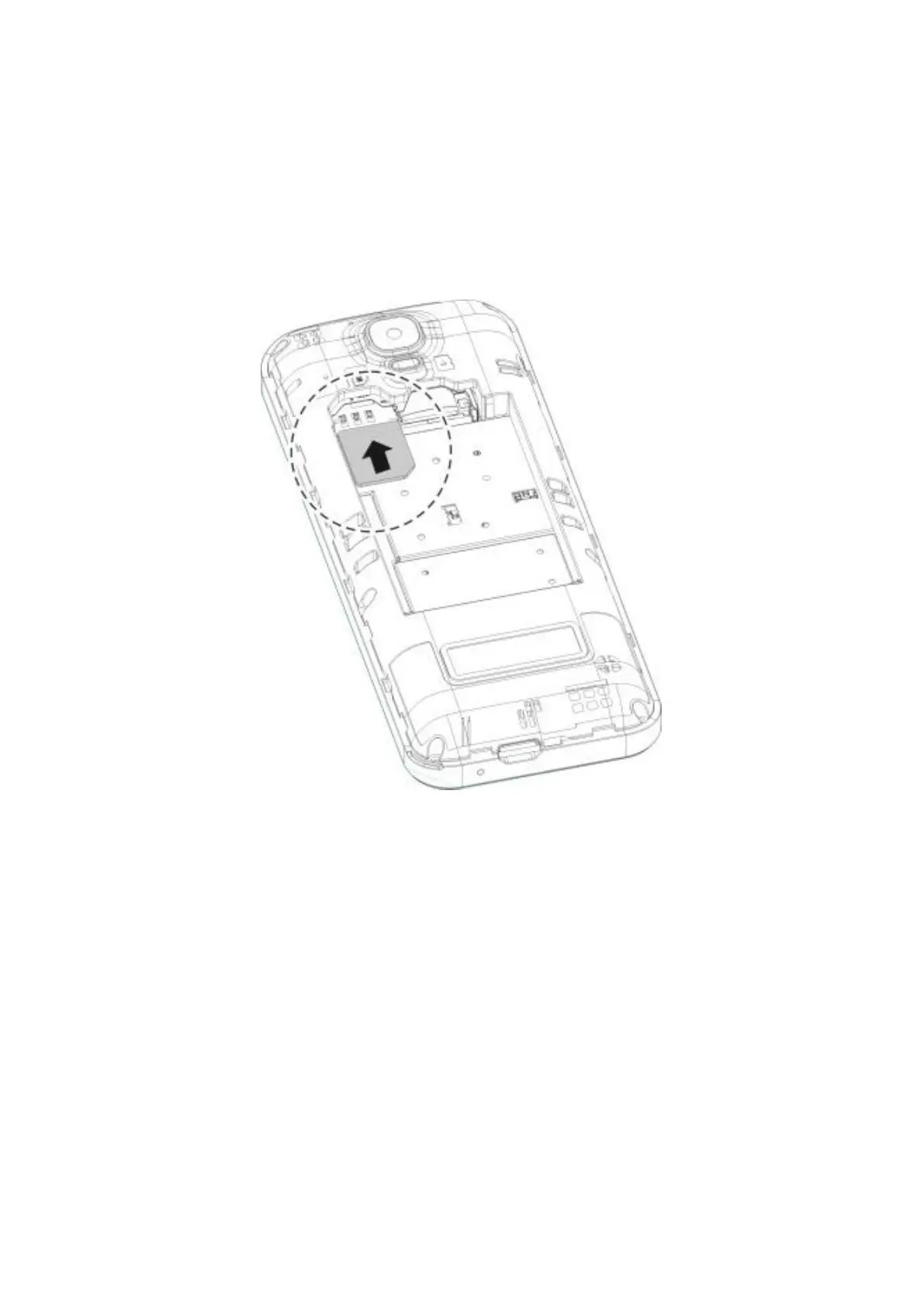
Installing SIM Card
1. Make sure the phone is turned off.
2. Insert the SIM Card into the SIM Card
slot gold contacts facing down and cut-
off corner facing out.
SIM Card


 To Next Page