5
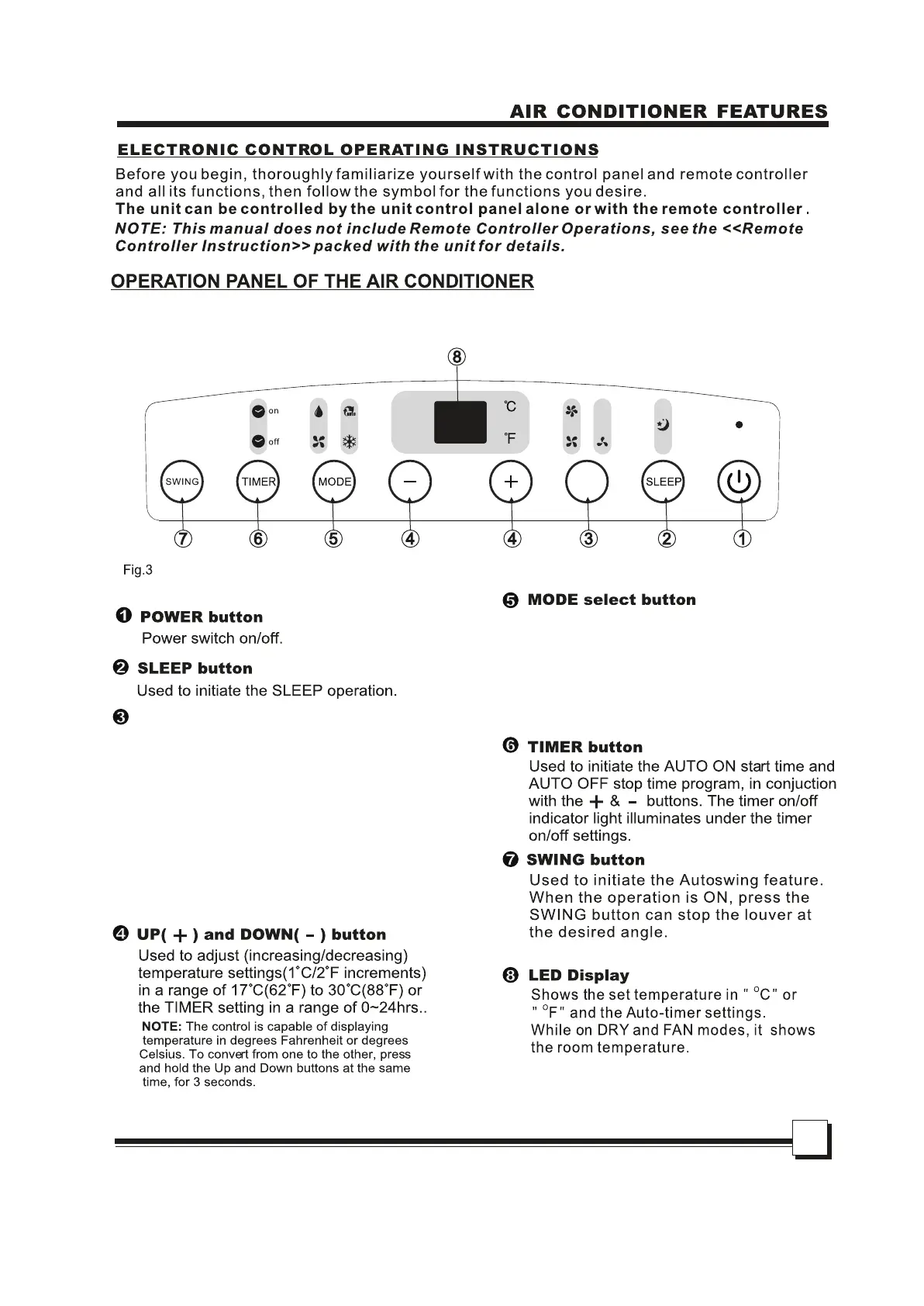
Selects the appropriate operating mode.
Each time you press the button, a mode is
selected in a sequence that goes from
AUTO -> COOL -> DRY -> FAN. The mode
indicator light illuminates for the
corresponding mode.
FAN button
Control the fan speed. Press to
select the fan speed in four steps –
LOW, MED, HI and AUTO. The
fan speed indicator light illuminates
under each fan setting except for
“AUTO.” When AUTO is selected,
none of the fan indicators will be lit.
FAN


 To Next Page