EasyManua.ls Logo

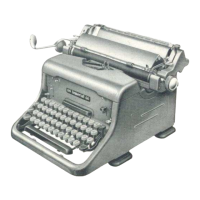
Imperial 66 - User Manual

Imperial 66
19 pages
Print Icon
To Next Page IconTo Next Page
Loading...
Question and Answer IconNeed help?

Do you have a question about the Imperial 66 and is the answer not in the manual?

Summary

Principal Parts in the Imperial 66

Unpacking

Assembling

The Ribbon

Fitting the Ribbon

Inserting the Paper

Adjusting the Paper

Setting the Margin Stops

Line Spacing

Moving the Carriage

The Keyboard

Shift Keys

Space Bar

Back Space Key

Releasing the Margin Stops

Touch Adjustment Control

Setting and Using the Tabulator

The Unit Model

Details of the tabulator model designed for general text columns.

Clearing the Stops

Cleaning the Machine

Oiling the Machine

The Imperial Feature of Interchangeability

The Type-Unit

The Carriage

The Platen

Imperial 66 Specifications

General IconGeneral
ManufacturerImperial Typewriter Company
Model66
TypeManual Typewriter
KeyboardQWERTY
Key Count44
Color OptionsBlack