8
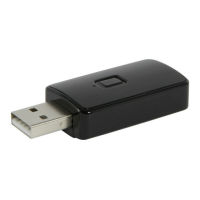
transmitter to a USB interface. The BAT 2 is now po-
wered up and ready to use and automatically starts
in connecting mode.
Hint: for a proper function of the BAT 2, the supply
current of the USB interface needs to be sufcient
(5V, 1A).
4. Establish Bluetooth connection
4.1 Connect
Activate the Bluetooth device to be connected.
Since the BAT 2 directly enters connecting mode
after being powered up, the connection should be
established automatically. For further information,
please read user manual of audio source device. To
establish Bluetooth connection between BAT 2 and
respective devices, several modes are available:
• Connection mode „new“
During initial operation, the BAT 2 is automatically
searching for new Bluetooth devices to connect to.
This mode is displayed through a quick ash of the
green status LED on top of the BAT 2 (LED ashes
4 times per sec.).
• Connection mode „memory“
Has the BAT 2 already been connected to a device,
E


 To Next Page