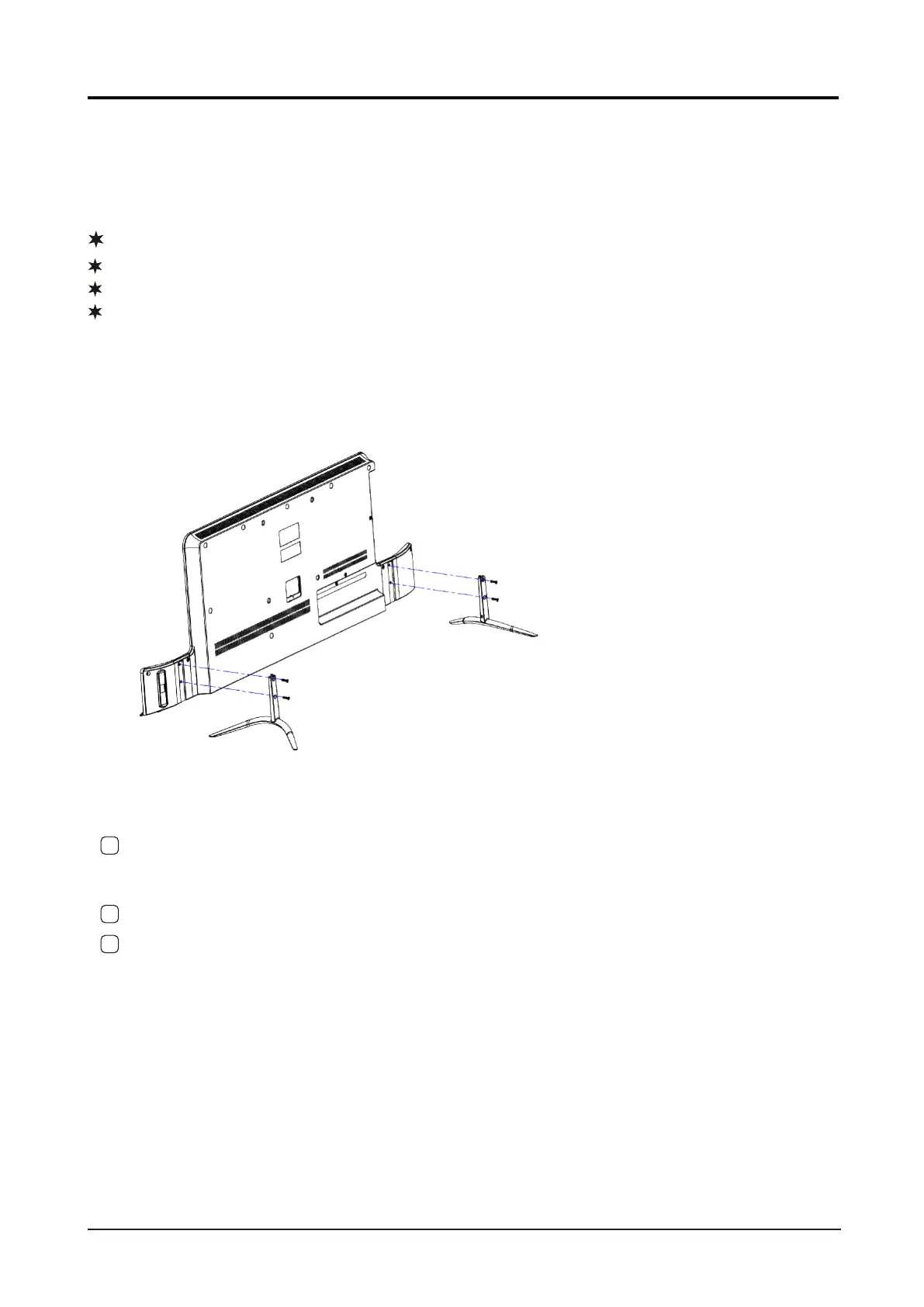
2 Insert the stand into the bottom socket of the TV.
1.Connection and Preparation of TV
1.1 Accessories
User Manual
Remote Control
Battery(UM-4/R03P/AAA)
Wall Mount Kit (Pre-assembled)(Optional)
1.2 Installation of Stand
1 Place the TV with the front panel facing downwards on the soft cloth or soft
pads on a desk.
3 Insert the screws into the sockets and tighten them.
2
LED COLOR TV
(For the physical structure, please refer to the real object)



 To Next Page