
EasyManua.ls Logo

impinj Speedway Revolution User Manual

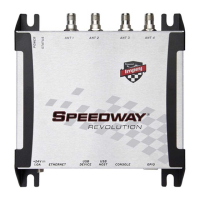
impinj Speedway Revolution
60 pages
To Next Page IconTo Next Page
Page #1 background imageLoading...
Page #1 background image
Firmware Release: Octane 4.8.0, 25-Apr-11 www.impinj.com
Copyright © 2011, Impinj, Inc
. Impinj, Speedway, Octane, and Powered by Impinj are either
registered trademarks or trademarks of Impinj, Inc
UHF Gen 2 RFID Speedway
®
Revolution
Installation and Operations Guide

Table of Contents

Questions and Answers:

impinj Speedway Revolution Specifications

General IconGeneral
Brandimpinj
ModelSpeedway Revolution
CategoryNetwork Hardware
LanguageEnglish

Summary

Products Covered by this Guide

Federal Communications Commission (FCC) Compliance

FCC compliance statement for digital devices, including interference guidelines.

Regulatory Compliance and Safety

Industry Canada (IC) Compliance

Compliance statement for Industry Canada, outlining interference rules for devices.

CE Marking and European Economic Area (EEA)

RFID device requirements for the EEA, including transmit power limits.

Before You Begin

Important safety and operational pre-installation warnings and recommendations.

Chapter 1: Introduction

About this Guide

Overview of the guide's purpose, scope, and content focus.

Intended Audience

Identifies the primary users and their expected technical background.

Other Documents of Interest

Lists related Impinj documentation for further information.

Impinj Support Information

Provides contact details and resources for technical assistance.

Introduction to Speedway® Revolution

Introduces the Speedway Revolution reader, its features, and capabilities.

Low Power Usage

Highlights the reader's low power consumption and PoE capability.

Compact Form Factor

Describes the physical dimensions and ease of installation.

Two Models Available

Differentiates between the R220 (two-port) and R420 (four-port) models.

High Performance Features

Details advanced features for high-speed tag reading and management.

Ease of Use Features

Explains the reader's integration simplicity and management capabilities.

Robust Reader Design

Emphasizes the reader's durable single-circuit board design for reliability.

Speedway xPortal - Integrated Portal Reader

Introduces the xPortal variant with integrated antenna technology.

Requirements for Using Speedway Revolution

Outlines the essential environmental and hardware prerequisites.

Environmental Requirement

Specifies the operating temperature range and conditions.

Hardware Requirements

Lists necessary network and console connection hardware.

Power Requirements

Details the options for powering the reader, including PoE and external supply.

Supported Operating Environments

Describes compatible operating systems and connection methods for management.

Supported Communication Protocol

Identifies the LLRP protocol for reader-tag communication.

Antenna Requirements

Explains antenna port configurations and regulatory considerations.

Chapter 2: Installing and Connecting Speedway Revolution

Speedway Revolution Ports and LEDs

Illustrates and describes the reader's I/O ports and status indicators.

Installing and Connecting the Reader

Provides the primary steps for reader installation and network connection.

Detailed Installation Procedures

Offers step-by-step instructions for each stage of the installation process.

Step 1: Position the Speedway Revolution Reader and Mount the Reader

Guides on selecting an optimal location and mounting the reader unit.

Step 2: Connect the Antenna(s) to the Speedway Revolution Reader

Details how to connect antennas to the reader's ports, emphasizing approved types.

Step 3: Power the Reader

Explains the two methods for powering the reader: PoE and external supply.

Step 4: Connect Speedway Revolution to the Network

Outlines procedures for connecting the reader to an Ethernet network.

Debugging Ethernet network connection

Provides troubleshooting tips for common Ethernet connection issues.

To connect Speedway Revolution to your PC over a serial connection

Describes the process of connecting via a serial port using PuTTY.

Step 5: Configure the Region Setting on the Reader

Explains how to set the regulatory region for optimal and legal operation.

Step 6: Test the Installed Reader

Details how to verify the reader's installation and functionality by reading tags.

Chapter 3: Configuring and Monitoring Speedway Revolution

Configuring Speedway Revolution

Introduces the two main categories of reader configuration: device and RF behavior.

Device Configuration

Explains the use of RShell for device management and network settings.

Using RShell to Configure Network Settings for Speedway Revolution

Guides on using RShell commands for network parameter setup.

To configure the reader's network settings

Lists specific RShell commands for configuring network parameters.

RF Configuration

Covers configuring the reader's radio frequency behavior and parameters.

Using MultiReader to Configure and Test Speedway Revolution

Details how to use the MultiReader application for configuration and testing.

Monitoring Speedway Revolution

Explains how to monitor reader health and performance using RShell.

Viewing Network Parameters and Statistics

Describes RShell commands for displaying network configuration and statistics.

Viewing RFID Parameters and Statistics

Details RShell commands for viewing RFID-specific operational data.

Configuring and Viewing Speedway Revolution Logs

Explains how to manage and view system and event logs.

Viewing the State of the Speedway Revolution Device

Shows how to display current system status and resource usage.

Chapter 4: Upgrading the Speedway Revolution Firmware

A Brief Overview of the Speedway Revolution Firmware

Explains the dual-image firmware architecture for robust upgrades.

Upgrading the Firmware

Introduces the three methods available for updating the reader's firmware.

Upgrading the Firmware using RShell

Provides detailed steps for firmware upgrades via the RShell command line.

Upgrading the Firmware with a USB Drive

Explains how to upgrade firmware using a USB memory drive.

Preparing the USB Drive for upgrade

Details the required directory structure and file placement on the USB drive.

Using the USB Drive

Outlines the process of inserting the USB drive and initiating the upgrade.

Upgrading the Firmware through the Impinj Management Web UI

Describes firmware upgrade steps using the web-based management interface.

To fall back to the previous image

Instructions for reverting to a prior firmware version if issues arise.

Chapter 5: Troubleshooting

Returning to the Default Configuration

Recommends resetting the reader to default settings to resolve issues.

To use RShell to return the reader to its default configuration and leaving CAP intact

Provides RShell commands to reset configuration while preserving custom applications.

To use the Default Restore button on the reader to restore to its default configuration

Explains how to perform a default restore using the physical button on the reader.

Submitting Diagnostic Data for Analysis by Impinj Technical Support

Guides on collecting and submitting diagnostic data for support.

To capture data to a Reader Diagnostic Data file

Details the steps using MultiReader to create a diagnostic data file.

Appendix A: Information Specific to Regions of Operation

Operation in North America

Details frequency plans, antenna requirements, and power settings for North America.

Frequency Plan

Lists the specific frequency channels and hopping patterns for North America.

Antenna Requirements

Covers antenna positioning, installation, and power considerations for North America.

Positioning

Specifies antenna positioning guidelines to ensure compliance with FCC exposure limits.

Installation

Notes requirements for professional installation related to conducted power.

Power

Details power output limits and regulations for North American operation.

Approved Antennas

Lists specific Impinj-approved antennas and their specifications for North America.

Operation in European Union

Provides frequency plans, antenna requirements, and power limits for EU operation.

Frequency Plan

Lists channels and specifications compliant with ETSI EN 302 208 for the EU.

Antenna Requirements

Covers antenna gain, cable loss, and approved models for EU.

Power

Details EU regulations on radiated power (ERP) and calculation methods.

Approved Antennas

Lists specific Impinj-approved antennas and their gain for EU operation.

Operation in Other Global Regions

Covers installation and regulatory requirements for various global regions.

Installation

Notes requirements for professional installation for global regions.

Operation in China, Israel, Indonesia, Malaysia, Singapore, and Vietnam

Details power limits and regulations for specific Asian countries.

Operation in Australia, Brazil, Hong Kong, New Zealand, Taiwan, Thailand, and Uruguay

Details power limits and regulations for regions including Australia and Brazil.

Approved Antennas

Lists specific Impinj-approved antennas and their specifications for various global regions.

Appendix B: GPIO Details

Appendix C: Speedway xPortal Installation

RF Beam Pattern

Illustrates the antenna beam patterns of the Speedway xPortal.

Mounting the xPortal

Describes various mounting options and hardware for the xPortal.

Conduit Attachment

Explains how to use conduit connectors for protected cable entry.

Notices