Switchlanguage
Home
Siri
Virtualkeyboard
Mute
Lock
Selectall
Play/Pause
Volumedown
Copy
Cut
Increase
Search
Previoustrack
Ctrl
Space
Space
X
Decrease
Screenshots
Switch
language
Nexttrack
Volumeup
Paste
Search
•Whendisconnectthemagneticswitch,thekeyboard
willpoweroff.
•Thekeyboardwillautomaticallyconnecttothe
tabletin2secondsifithasbeenpairedwithbefore.
•Originalchargecordmustbeusedwhencharging
while working, otherwise the keyboard may
becomegarbledormalfunctioned.
ProductSpecifications
Bluetoothversion
Chargingport
Effectiverange
Modulation
WorkingVoltage
Workingcurrent
Sleepingcurrent
Chargingcurrent
Standbytime
Chargingtime
Broadcom3.0
Micro-USB
10meters
GFSK
3.7V
1.5-2.5A
0.04mA
100mA
800H
2.5hrs
Batterycapacity
Continuouslyworkingtime
Batterydimension
Keypressforce
Keylife
Workingtemperature
Bluetooth Operating
Frequency
250mAh
100hrs
2.5*25*40mm
50-80g
3milliontimesclicks
-10-+55degree
Troubleshooting
1.iPadcannotconnectwiththekeyboard:
•Ensurethemagneticstripshasconnectedwith
thekeyboard
•Makesurethelithiumbatteryisnormal
•ConfirmthattheiPadBluetoothfunctionhas
beenturnedon
noissimsnarthtooteulB
Power
2402-2480MHz
0dBm
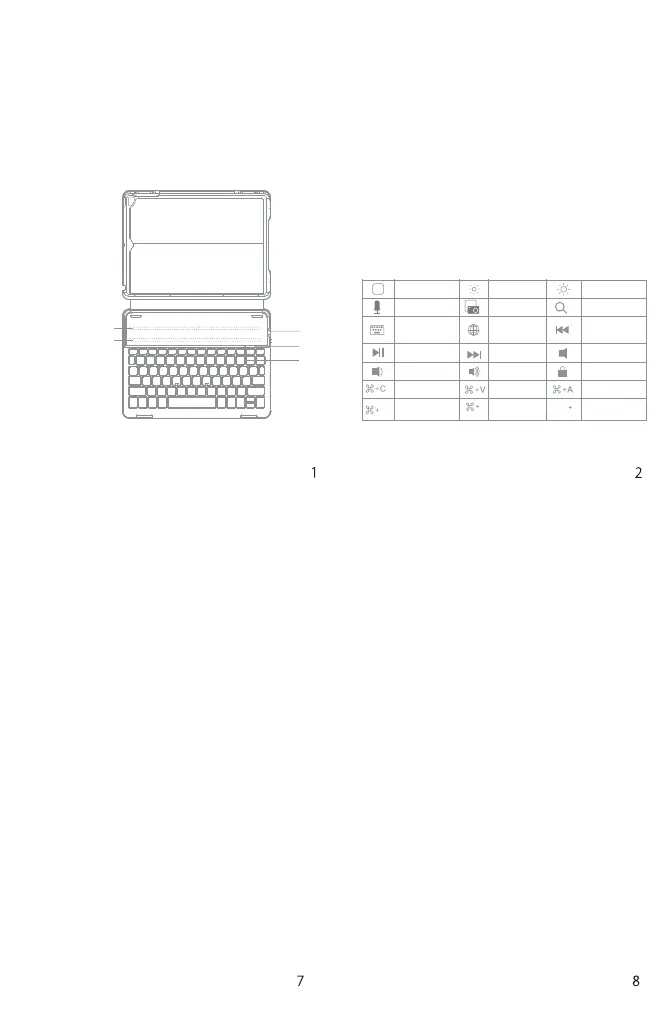
Battery Indicator: Red light will turn on when the keyboard is
chargingandturnsgreenoncefullycharged.
②CAPSLockIndicator:Greenlightison.
BluetoothStatusIndicator:BluelightwillflashafterpressingtheFn
andDeletekeystogether.
BaterrylowIndicator:Redlightwillflashwhenitistimerorecharge.
③Micro-USBChargingPort:Usedforchargingthekeyboard.
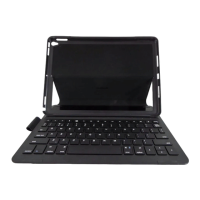
WirelessKeyboardCase
(English)
ProductOverview
PackageContents
•WirelessKeyboardCase*1
•USBchargingcable*1
•Usermanual*1
MagneticStrip1
①
③
②
MagneticStrip2
FunctionsKeys
Note:WhentheiPadsystemistheios10,ifyouwanttouseCaps
LockKeyinnormaltoswitchthecaseofalphaCharacters,please
followthestepstochangetheiPadsettings:
Find General-Keyboard-Hardware Keyboard: TURN OFF Caps
LockandSwitchto/fromLatin
①PowerSwitch:SnappingtheiPadontotheembeddedmagneticstrip
1or strip 2 automaticallywakes the keyboard. Thegreen light will
flash.


 To Next Page