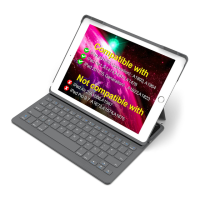
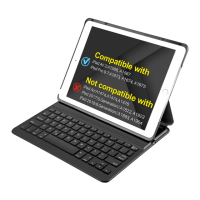
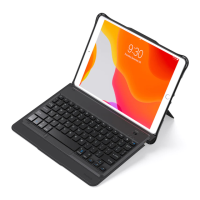
ファンクションキ ー
ご注意:iOS10及び以降のバーションにはCapsLockキーが正常に機能しな
い時、下記の解決方法をご参照ください。
【設定】-【一般】-【キーボード】と開いて、【Caps Lockで英字モードと切り替
え】をOFFに設定してください。
言語スイッチ
ホーム
Siri
バーチャルキー
ボード
再生/一時停止
音量−
コピー
切り取り
減少
スクリーン
ショット
言語スイッチ
次の曲
音量+
ペ ースト
捜索
増加
捜索
前の曲
ミュート
ロック
すべて選択
ワイヤレスキーボードケース
(日本語)
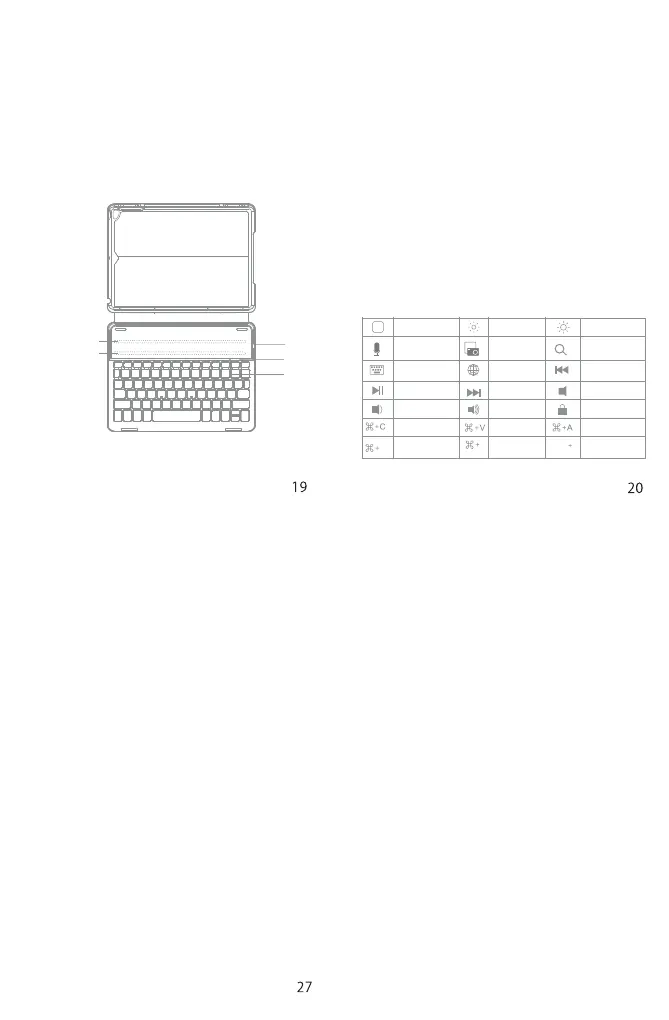
製品概略図
パッケージ
•ワイヤレスキーボードケース*1
•USB充電ケーブル*1
•取扱説明書*1
磁気ストリップ1
①
③
②
磁気ストリップ2
① パ ワースイッチ : お使いのiPadを内蔵磁気ストリップ1あるいは磁気スト
リップ2に嵌めていただければ、このキーボードは自動的にウェイクアッ
プされます。その時、緑色LEDは点滅します。。
バッテリーインジケータ: キーボードが充電中されている時、赤のライ
トは点灯します。そして、ライトがグリーンに変わると、フル充電が完成
されます。
② CAPSロックのインジケータ: ライトがグリーン色に点灯するとき、Caps
Lockonになります。
Bluetoothステータスインジケータ: FNとDeleteボタンを一緒に押すと
、青色のLEDは点灯します。
低バッテリーインジケータ:電池切れになる前に、赤のライトは点灯します。
③Micro-USB充電ポート:キーボード充電用。
Ctrl
Space
Space
X
USA
Tel.:+1909-698-7018
Phonehours:Weekdays9AMto5PM(EST)
Email:support@inateck.com
Web:www.inateck.com
Addr.:InateckTechnologyInc,2078FrancisSt.,Unit14-02,
Ontario,SanBernardino,CA91761
Germany
Tel.:+49341-51998410Fax.:+4934151998413
Phonehours:Weekdays9AM-5PM(CET)
Email:support@inateck.com
Web:http://www.inateck.com/de/
Addr.:F&MTechnologyGmbH,Fraunhoferstraße7,04178Leipzig
Japan
Email:support@inateck.com
Web:www.inateck.com/jp/
Addr.:Inateck株式会社〒547-0014大阪府大阪市平野区
長吉川辺3丁目10番11号
CompanyofLicenseHolder
F&MTechnologyGmbH
Fraunhoferstraße7,04178Leipzig
Tel.:+49341-51998410
ManufacturerInformation
ShenZhenLiChengTechnologyCo.,Ltd.
Add:XingheWorldPhaseI,BantianStreet,LonggangDistrict,
Shenzhen,Guangdong,China
Tel:+86755-23484029
ContactInformation
MadeinChina
DasGerätverfügtübereinenFunkfrequenzbereichvon2,4GHz+/-120Hz
DasGerätentsprichtdenHarmonisierungsbestimmungenderEUgemäßder
Richtlinie2014/53/EU
TestberichteundKonformitätserklärungkönnenunterfolgendemLink
eingesehenwerden:
https://www.inateck.com/de/inateck-BK2006-black.html
FCCNote
Thisdevicecomplieswithpart15oftheFCCRules.Operationissubjecttothe
followingtwoconditions:(1)Thisdevicemaynotcauseharmfulinterference,
and (2) this device must accept any interference received, including
interferencethatmaycauseundesiredoperation.
Note:Thisequipmenthasbeentestedandfoundtocomplywiththelimitsfor
aClassBdigitaldevice,pursuanttopart15oftheFCCRules.Theselimitsare
designedto provide reasonable protectionagainst harmful interferencein a
residentialinstallation. Thisequipment generates,uses andcan radiateradio
frequencyenergyand,ifnotinstalledandusedinaccordancewiththeUsers,
maycauseharmfulinterferencetoradiocommunications.However,thereisno
guarantee that interference will not occur in a particular installation. If this
equipment doescause harmful interference to radio ortelevision reception,
which canbe determined by turningthe equipment off and on,the user is
encouragedtotrytocorrecttheinterferencebyoneormoreofthefollowing
measures:
Reorientorrelocatethereceivingantenna.
Increasetheseparationbetweentheequipmentandreceiver.
Connect the equipment into an outlet on a circuit different fromthat to
which the receiver is connected. Consult the dealer or an experienced
radio/TVtechnicianforhelp.
Note: The Grantee is not responsible for any changes or modifications not
expressly approved by the party responsible for compliance. such
modificationscouldvoidtheuser'sauthoritytooperatetheequipment.
ThedevicehasbeenevaluatedtomeetgeneralRFexposurerequirement.
ThisequipmentcomplieswithFCC'sRFradiationexposurelimitssetforthforan
uncontrolled environment. This device and its antenna(s) must not be
co-locatedorconjunctionwithanyotherantennaortransmitter.


 To Previous Page
 Loading...