EasyManua.ls Logo

Inawise TPMS-4WD series - User Manual

Inawise TPMS-4WD series
32 pages
Print Icon
To Next Page IconTo Next Page
Loading...
I
nawise
(
Australia
)
Pt
y
Ltd
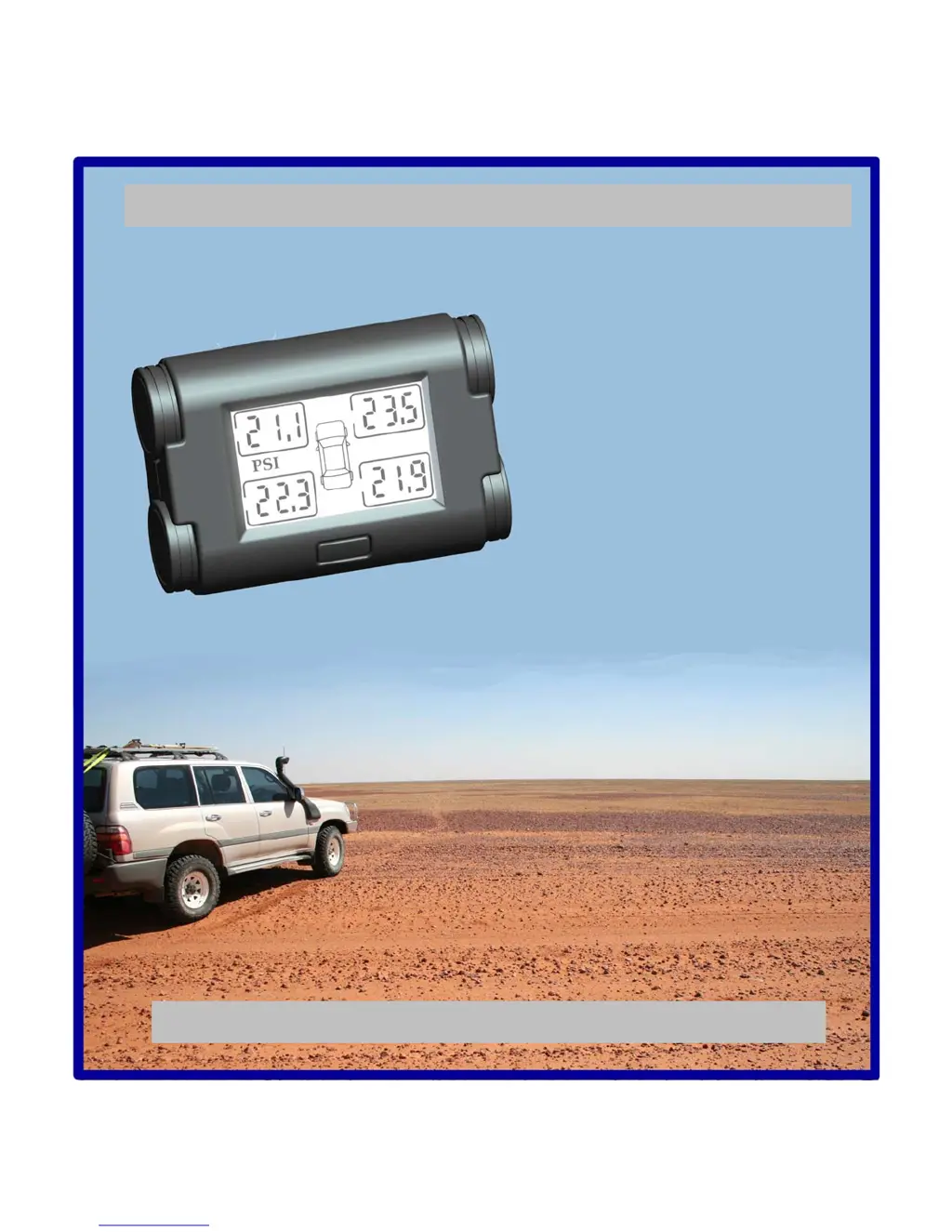
Product features and installation instructions
for the TPMS-4WD-V2 tyre pressure and
temperature monitoring system.
Document Number: 913-9001 Rev G 11/July/2012
User and installation
guide
TPMS-4WD series Tyre Pressure
Monitoring System
(TPMS)

Questions and Answers

  • E
    espinozachelseaAug 7, 2025
    What to do if nothing is shown on the Inawise Automobile Accessories display?
    • A
      Autumn QuinnAug 8, 2025
      If the Inawise Automobile Accessories display shows nothing, first, ensure the rear On/Off switch is in the “On” position. Next, check the 12V power cable to confirm it's properly connected. Finally, inspect the in-line fuse and replace it if it's blown.
  • S
    Sydney FisherAug 12, 2025
    How to fix "000" shown on the Inawise TPMS-4WD Automobile Accessories display?
    • A
      Anthony SmithAug 12, 2025
      If the Inawise Automobile Accessories display shows "000", this could be due to a few reasons. It might be that the initial setup requires the sensors to be activated from shipping sleep mode; try driving the vehicle at 25km/h or more for 5 minutes. Alternatively, there may be poor signal reception. In this case, try to re-locate the dual long wire antenna or move the display away from any metal objects or wires.
  • A
    Ashley SchmidtAug 16, 2025
    What to do if Inawise TPMS-4WD Automobile Accessories display shows "---" even when driving faster than 25km/h?
    • S
      Suzanne MartinezAug 16, 2025
      If the Inawise Automobile Accessories display shows "---" even when driving faster than 25km/h, the ID module may not be properly connected with the display. Another potential cause is a system lock-up. To resolve this, switch the rear power switch to "OFF" then back to "ON".
  • D
    Denise LewisAug 20, 2025
    Why does the Inawise TPMS-4WD Automobile Accessories display beep in the morning during cold weather?
    • P
      Paul BrowningAug 20, 2025
      The Inawise Automobile Accessories display might beep in the morning during cold weather because the tires are under inflated. Re-inflate the tires to the correct pressure. It may also be caused by baseline pressure not being set correctly.
  • K
    kimberlymasonAug 25, 2025
    Why does the Inawise TPMS-4WD display beep when the actual tire pressure is OK?
    • D
      Daniel GarzaAug 26, 2025
      The Inawise Automobile Accessories display might beep even when the actual tire pressure is okay if the baseline pressure is not set correctly. Check the “Road” / “Off Road switch on the back of the display module.
  • G
    George WilsonAug 29, 2025
    What causes the Inawise Automobile Accessories display to sometimes show blank pressure or temperature?
    • A
      Anne HortonAug 29, 2025
      If the Inawise Automobile Accessories display sometimes shows blank pressure or temperature, this can be caused by a weak RF signal link or an external source jamming the RF signal. Try to re-locate the dual long wire antenna, if necessary, route it through the firewall and under the vehicle.
  • S
    stanleybrownSep 2, 2025
    How to fix Inawise Automobile Accessories when data does not refresh?
    • D
      Duane CarlsonSep 2, 2025
      If the data on your Inawise Automobile Accessories display does not refresh, it may be due to a system lock-up. Try switching the rear power switch to "OFF" and then back to "ON".

Inawise TPMS-4WD series Specifications

General IconGeneral
Suitable Vehicle4WD vehicles
CompatibilityUniversal
TypeTPMS
DisplayLCD
Pressure UnitPSI / BAR
Temperature Unit°C, °F
Alarm TypeVisual and audible alerts
Waterproof RatingIP67